
AWS cloud services
AWS Cloud Services That Scale Without Waste
As an AWS Partner, Codefreex designs, migrates and runs workloads on AWS, with secure accounts, tested backups and monthly cost reviews that keep your bill under control as you grow.
Quick answer
What do Codefreex’s AWS cloud services include?
Codefreex AWS cloud services cover architecture design, migration to AWS, EC2, ECS on Fargate and Lambda workloads, RDS and Aurora databases, S3 and CloudFront delivery, IAM and VPC security, Well-Architected reviews, cost optimization with rightsizing, Savings Plans and Spot Instances, backups, disaster recovery and managed operations. Codefreex is an AWS Partner with 9+ years of experience.
540+
Projects delivered
9+
Years in business
23+
Certified experts




Trusted by 540+ growing businesses worldwide











AWS Cloud Services
AWS Has Hundreds of Services. You Need the Right Few.
AWS can run almost anything, which is exactly why so many accounts end up messy. Teams launch EC2 instances by hand, open security groups to the world for a quick test, keep everything in one account and one region, and discover months later that a forgotten NAT Gateway or an oversized database costs more than the app it serves. Nobody planned it that way. It just grew.
Codefreex brings structure. As an AWS Partner, we design accounts, networks and permissions first, then pick the services that fit your workload: containers on ECS and Fargate, functions on Lambda, managed databases on RDS or Aurora, static assets on S3 behind CloudFront. Everything is defined in Terraform, reviewed against the AWS Well-Architected Framework, backed up, monitored and costed, so your setup stays understandable as it grows.
What you get
What We Do on AWS
From first architecture to day-to-day operations, every engagement follows the AWS Well-Architected Framework and ends with infrastructure your team can read.
Architecture and Landing Zones
Multi-account setups with AWS Organizations, IAM Identity Center, private VPCs, guardrails and centralized logging, designed around your workload, data sensitivity and growth plans before anything is deployed.
Migration to AWS
We move apps, databases and files from other clouds, hosting providers or on-premises servers, choosing to rehost, replatform or refactor each workload, with tested cutovers and rollback plans.
Compute and Containers
EC2 for steady workloads, Amazon ECS on AWS Fargate for containers without servers to patch, and AWS Lambda for event-driven jobs, each sized to real traffic rather than guesses.
Databases and Storage
Amazon RDS and Aurora with Multi-AZ failover, read replicas and point-in-time recovery, plus S3 lifecycle rules and CloudFront caching that trim storage and data transfer costs.
Cost Optimization
Rightsizing with AWS Compute Optimizer, Savings Plans for steady usage, Spot Instances for interruptible work, Graviton instances where they fit, and cleanup of idle resources and forgotten snapshots.
Backups, DR and Operations
AWS Backup policies, cross-region copies and a disaster recovery plan matched to your recovery targets, plus CloudWatch monitoring, patching and monthly reviews as a managed service.
Platforms and tools we work with
How we work
How We Deliver AWS Projects
Clear phases, a named owner for every deliverable and weekly progress you can see.
Assess and Review
We review your current setup or requirements, run a Well-Architected review, and estimate monthly AWS costs for the target architecture before you commit to anything.
Build the Landing Zone
We set up accounts, networking, identity, logging and guardrails in Terraform, so every workload lands on a secure, consistent and well-documented foundation.
Migrate or Build
We deploy or migrate workloads in waves, sync databases, test performance and failover, then cut over during a planned window with a rollback path ready.
Operate and Optimize
We monitor, patch and back up your environment, review costs every month and apply Savings Plans, rightsizing and cleanup as your usage changes.
Who it is for
Who We Help on AWS
SaaS Companies
Product teams that need secure multi-tenant infrastructure, staging environments and predictable costs as customer numbers and data volumes grow.
Businesses Leaving Legacy Hosting
Companies on aging dedicated servers, VPS providers or data centers that want managed databases, backups and scaling without rewriting everything.
Ecommerce and High-Traffic Sites
Stores and media sites that face traffic spikes during campaigns and need CloudFront caching, autoscaling and databases that keep up under load.
Teams With Rising AWS Bills
Engineering teams whose AWS invoice keeps growing without a clear reason, and who want waste removed without putting production at risk.
Why teams switch to us
An AWS Partner vs. a Generalist Host
Typical agency
- Lifts servers over and keeps old problems
- One account, root login shared by email
- Backups exist but are never test-restored
- Bill grows every month, nobody checks why
 Codefreex
- Each workload rehosted, replatformed or refactored deliberately
- Multi-account setup with single sign-on and guardrails
- Scheduled restore tests against your recovery targets
- Monthly cost reviews with tagged, explained spending
Buyer guide
AWS cloud services: a buyer’s guide
How AWS projects are planned, what the Well-Architected Framework means for your business, how migrations work, what really drives your AWS bill, and how to choose a partner you can trust with production.
What an AWS partner actually does for you
An AWS engagement usually falls into one of four jobs. Design means planning accounts, networks, permissions and services for a new product. Migration means moving existing workloads from another host or data center. Optimization means fixing an account that has become expensive, fragile or insecure. Operations means running the environment day to day, from patching and backups to monitoring and incident response. Many clients start with one job and add the next once trust is built.
Whatever the job, the deliverable should be infrastructure you can read and own. That means Terraform or AWS CloudFormation code in your repository, accounts registered to your company, access through AWS IAM Identity Center rather than shared root logins, and documentation that explains why each service was chosen. If a partner keeps the keys or builds everything by hand in the console, you are renting their memory, not buying an architecture.
The AWS Well-Architected Framework in plain English
AWS publishes the Well-Architected Framework as a body of good practice organized into six pillars: operational excellence, security, reliability, performance efficiency, cost optimization and sustainability. Each pillar asks pointed questions. How do you deploy changes? Who can access production data? What happens when an Availability Zone fails? Are you paying for capacity you never use? The framework does not prescribe specific services, which makes it a useful, neutral yardstick for any workload.
We run a Well-Architected review at the start of most engagements. It turns a vague sense that things are fragile into a ranked list of high-risk and medium-risk issues, each with a concrete fix. Typical findings include a single-AZ database, backups that were never restored, broad IAM permissions, public S3 buckets, missing CloudTrail logging and no budget alerts. Fixing the high-risk items first gives you the biggest safety gain for each hour of work.
Migrating to AWS: approaches and timelines
AWS groups migration strategies into the 7 Rs: retire, retain, rehost, relocate, repurchase, replatform and refactor. Most small and mid-size migrations rely on three of them. Rehost moves servers as they are, often with AWS Application Migration Service. Replatform makes modest changes, such as moving a self-managed MySQL server to Amazon RDS or a VM-based app into containers on ECS. Refactor rebuilds parts of the app around services like Lambda or Amazon SQS.
The right mix depends on deadlines and how long the app will live. Rehosting is fastest but carries old problems over. Replatforming usually offers the best balance of effort and payoff. Databases need the most care: we use AWS Database Migration Service or native replication to keep source and target in sync, then cut over during a short, planned window. A single application often moves in a few weeks, while larger estates move in phases over several months.
What drives your AWS bill, and how to lower it
AWS bills contain hundreds of line items, but a few usually dominate: compute, databases, storage and data transfer. Common surprises include NAT Gateway processing charges, cross-AZ traffic, oversized RDS instances, provisioned IOPS nobody needs, old EBS snapshots and CloudWatch Logs kept forever. Development and staging environments running around the clock are another quiet drain, since they can cost nearly as much as production while being used only during working hours.
Lowering the bill follows a clear order. First, make spending visible with cost allocation tags, AWS Budgets and Cost Explorer. Second, remove waste such as idle resources, unattached volumes and forgotten test stacks. Third, rightsize using AWS Compute Optimizer data. Fourth, commit: Savings Plans and Reserved Instances discount steady usage, while Spot Instances suit batch jobs and CI runners that tolerate interruptions. Graviton instances often improve price-performance for compatible workloads on top of that.
Backups, disaster recovery and choosing an AWS partner
Disaster recovery starts with two targets you set: recovery time objective, meaning how long you can be down, and recovery point objective, meaning how much data you can afford to lose. AWS describes four strategies, from cheapest to fastest: backup and restore, pilot light, warm standby and multi-site active/active. Most businesses need backup and restore done properly, with AWS Backup policies, cross-region copies and scheduled restore tests, before paying for anything more.
When choosing a partner, check that they are a listed AWS Partner, ask to see sample Terraform and runbooks, and confirm every account and credential will be in your name. Ask how they handle on-call, upgrades and cost reviews after launch. Codefreex is an AWS Partner with 23+ certified professionals and 540+ projects delivered. We start with a free 30-minute call to understand your workload before suggesting any architecture or migration plan.
Selected work
Proof from real projects
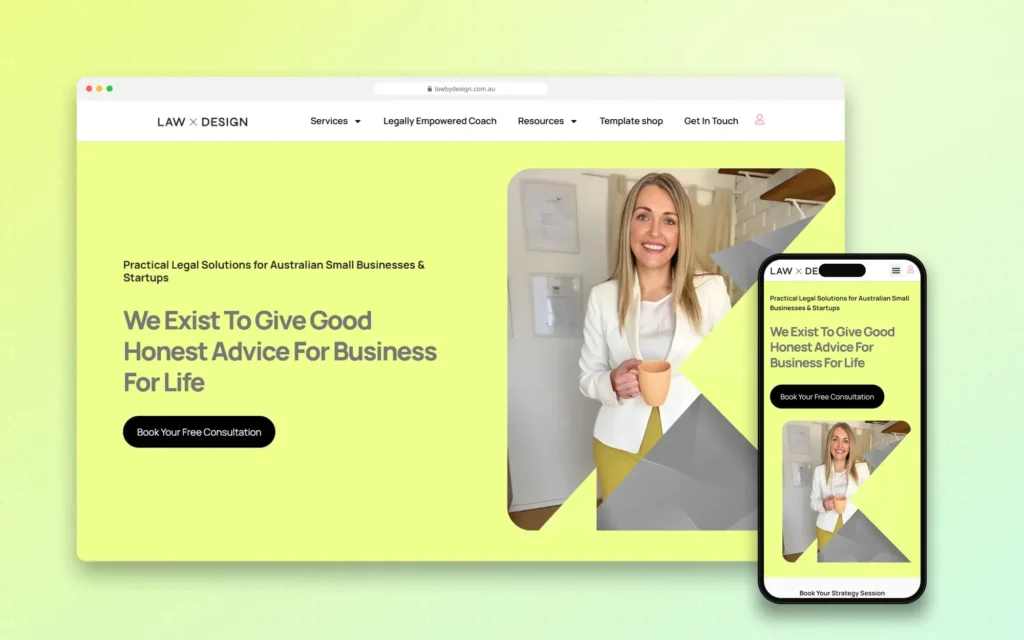 +34.2% Google organic sessions, June 2026 vs May
Law by Design – Web Design, Social Media and SEO
Codefreex handles web design, social media and SEO for Law by Design. The team designed and built the…
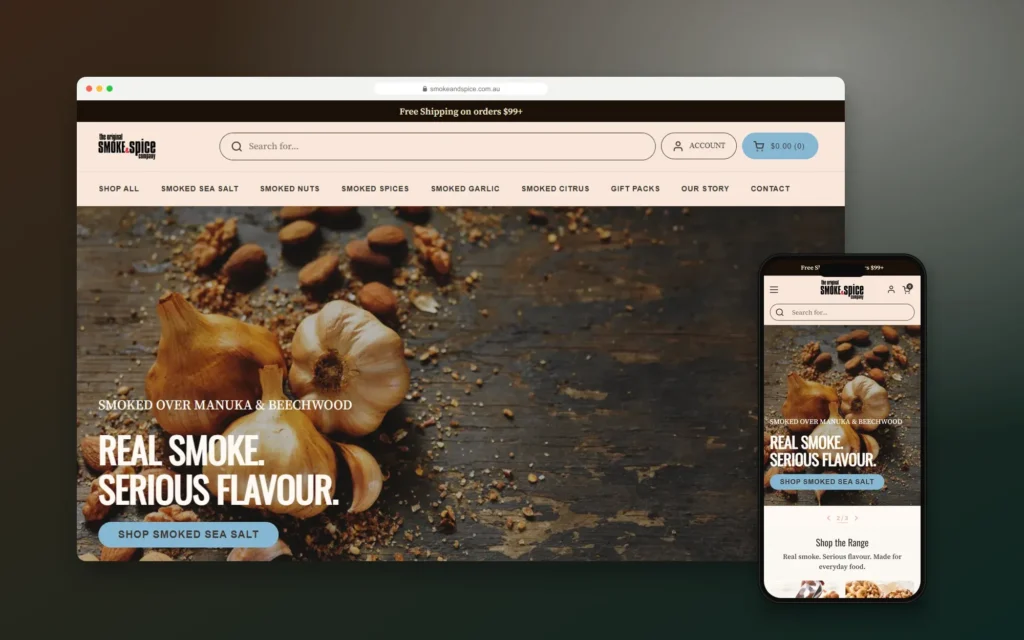
Smoke & Spice – Mobile-First Shopify Store for a Sydney Smoked Foods Brand
Codefreex designed and built a mobile-first Shopify store for The Original Smoke & Spice Company, a family business…

Elevate by She Is Elevated – Luxury Wellness Event Website for Women Leaders
Codefreex designed and built the website for Elevate by She Is Elevated, a one-day luxury reset for executives,…
Client stories
Hear it from our clients
Real founders and teams on what it is like to build with Codefreex.


FAQ
AWS Cloud Services: FAQs
Straight answers to what buyers ask us most. Still unsure? Book a free 30-minute call.
Is Codefreex an AWS Partner?
Yes. Codefreex is an AWS Partner. We design, migrate and operate workloads on Amazon Web Services for startups, SaaS companies, ecommerce brands and established businesses. Every account we set up is registered to your company, and all infrastructure is written as code in your repositories, so you keep full control and visibility whether or not we stay on for ongoing management.
How much do AWS cloud services cost?
Our fees depend on the scope: a Well-Architected review, a migration, a new build or ongoing managed operations. Migration cost depends on the number of servers and databases, data volume and how much the app needs to change. Your AWS usage is billed separately by AWS. Codefreex scopes each project on a free 30-minute call and sends a written estimate, including projected monthly AWS costs.
How long does an AWS migration take?
A single web application with one database often moves to AWS in a few weeks, including testing and cutover. Larger estates with many servers, compliance needs or tightly coupled systems move in phases over several months. The database move usually sets the pace. We plan migration waves so each one is tested and stable before the next begins, which keeps both risk and downtime low.
Can you reduce our AWS bill without hurting performance?
Usually, yes. We start by tagging resources and reading the bill, then remove idle and orphaned resources, rightsize instances and databases using real usage data, and apply Savings Plans or Reserved Instances to steady workloads. Spot Instances and Graviton instances help where workloads allow. Every change is tested and reversible, and we track performance alongside cost, so you can see that savings do not hurt reliability.
Should we use EC2, ECS on Fargate or Lambda?
It depends on the workload. EC2 suits steady, long-running workloads and software that needs full server control. Amazon ECS on AWS Fargate runs containers without managing servers and fits most web apps and APIs. AWS Lambda suits event-driven tasks, scheduled jobs and spiky traffic, though long-running or latency-sensitive work can get expensive. Many architectures combine all three, so we recommend per component.
What is an AWS Well-Architected review?
A Well-Architected review checks your workload against the six pillars of the AWS framework: operational excellence, security, reliability, performance efficiency, cost optimization and sustainability. The result is a prioritized list of risks, such as single points of failure, overly broad permissions or untested backups, each with a recommended fix. Codefreex runs the review with your team, then helps you work through the high-risk items first.
Do you provide ongoing AWS management?
Yes. Our managed operations cover monitoring and alerting with Amazon CloudWatch, patching, backup checks and restore tests, security findings from AWS Security Hub and Amazon GuardDuty, infrastructure changes through Terraform, and monthly cost reviews. You get a dedicated team, documented runbooks and clear escalation paths, while every account and credential remains in your company’s name.
Can you move us from another cloud to AWS?
Yes. We migrate workloads from Google Cloud, Microsoft Azure, DigitalOcean, Heroku, Hetzner and traditional hosting providers to AWS. We map each component to its AWS equivalent, such as managed databases to Amazon RDS or object storage to Amazon S3, move data with replication where possible, and run both environments in parallel until the AWS setup is tested and ready for cutover.
Free estimate
Get More From Every AWS Dollar
Book a free 30-minute call. We’ll review your AWS setup or plans and point out the biggest risks and savings.
- A senior strategist reviews your request, not a sales bot
- Clear scope, timeline and estimate within one business day
- Free 30-minute discovery call, no obligation
- NDA available on request
- Emailhello@codefreex.com
- CallUSA +1 (209) 375-3475 · India +91 790 3375 530
- Prefer to talk?Book a 30-minute call
Keep exploring
Related services
DevOps Services
Codefreex builds CI/CD pipelines, infrastructure as code, monitoring and incident runbooks, so your team ships more often, with fewer failed releases, faster recovery and cloud costs you can explain.
ExploreCustom Deployment & CI/CD
Codefreex containerizes your app and builds CI/CD pipelines with blue-green releases, safe database migrations and one-step rollbacks on AWS, Google Cloud, Azure, DigitalOcean, Hetzner, Cloudflare or your own servers.
ExploreSaaS Development
We build multi-tenant SaaS products with billing, auth and AI features, using the same playbook behind Codefreex’s own products: Nimora, PageForge, Aeoora, Prosyo and OnePloy.
Explore