
Google Cloud services
Google Cloud Services for Apps, Data and AI
Codefreex builds and runs workloads on Google Cloud, from Cloud Run and Google Kubernetes Engine to Cloud SQL, BigQuery and Vertex AI, with least-privilege IAM and cost controls from day one.
Quick answer
What do Codefreex’s Google Cloud services include?
Codefreex Google Cloud services cover architecture, migration and operations on Google Cloud: Cloud Run, Google Kubernetes Engine and Compute Engine for compute, Cloud SQL and Firestore for data, Cloud Storage, BigQuery analytics, Vertex AI applications, IAM design, Cloud Build pipelines, monitoring and cost controls such as budgets, committed use discounts and query limits.
540+
Projects delivered
9+
Years in business
23+
Certified experts




Trusted by 540+ growing businesses worldwide











Google Cloud Services
Google Cloud Is Simple to Start and Easy to Overspend On
Google Cloud makes it easy to ship. A container goes live on Cloud Run in minutes, and BigQuery will query terabytes without a server in sight. The problems arrive later: service account keys copied into repositories, every developer holding the Owner role, a Cloud SQL instance with a public IP address, and a BigQuery bill that jumps because one dashboard scans a full table on every refresh.
Codefreex sets Google Cloud up so it stays manageable. We design the organization, folders, projects and IAM first, then choose the right runtime for each workload: Cloud Run for most services, Google Kubernetes Engine when you need it, Compute Engine for the rest. Data lands in Cloud SQL, Firestore, Cloud Storage or BigQuery, deployments run through Cloud Build, and budgets, alerts and query limits keep spending visible.
What you get
What We Do on Google Cloud
Architecture, data, AI and operations from one team, with every project, role and pipeline defined in code you own.
Cloud Run and Serverless
Containerized services and jobs on Cloud Run that scale to zero when idle, with revisions, traffic splitting for gradual rollouts, private networking and Cloud Scheduler or Pub/Sub triggers.
GKE and Compute Engine
Google Kubernetes Engine clusters in Autopilot or Standard mode for multi-service platforms, and Compute Engine virtual machines with managed instance groups for software that needs full server control.
Cloud SQL, Firestore and Storage
Cloud SQL for PostgreSQL, MySQL and SQL Server with high availability and point-in-time recovery, Firestore for document data, and Cloud Storage with lifecycle rules for files and backups.
BigQuery Analytics
Warehouses modeled with partitioned and clustered tables, pipelines from your apps, Google Analytics and ad platforms, and query cost controls so dashboards stay fast and affordable.
Vertex AI Applications
Gemini models through Vertex AI for chat, extraction, search and summarization features, grounded in your own data, with evaluation, logging and access handled inside your Google Cloud project.
IAM, Pipelines and Cost
Least-privilege roles, service accounts without downloaded keys, Cloud Build pipelines with Artifact Registry, Cloud Monitoring alerts, budgets and committed use discounts for steady workloads.
Platforms and tools we work with
How we work
How We Deliver Google Cloud Projects
Clear phases, a named owner for every deliverable and weekly progress you can see.
Assess and Design
We review your workloads or requirements, choose runtimes and databases for each component, and estimate monthly Google Cloud costs for the target architecture.
Set Up the Foundation
We build the organization, folders, projects, networking, IAM, logging and budgets in Terraform, so every environment starts secure and consistent.
Build or Migrate
We deploy services through Cloud Build or GitHub Actions, migrate databases with replication, load data into BigQuery and test before a planned cutover.
Operate and Optimize
We monitor, patch and back up your environment, review costs monthly and tune instance sizes, commitments and BigQuery queries as usage changes.
Who it is for
Who We Help on Google Cloud
Startups and SaaS Teams
Product teams that want to ship containers on Cloud Run with staging environments, pipelines and costs that follow real usage.
Data-Driven Marketing Teams
Companies bringing Google Analytics, ad platform and store data into BigQuery for reporting their current tools cannot produce.
Businesses Building AI Features
Teams adding chat, search or document processing with Gemini on Vertex AI and needing security, evaluation and cost controls around it.
Teams Moving From Other Hosts
Companies leaving Heroku, VPS providers or another cloud that want managed databases and autoscaling without running servers themselves.
Why teams switch to us
Planned Google Cloud vs. Click-and-Hope
Typical agency
- Everyone holds the Owner role
- Service account keys stored in repositories
- GKE cluster for a single small app
- BigQuery costs discovered on the invoice
 Codefreex
- Least-privilege roles granted through groups
- Keyless access with Workload Identity Federation
- Cloud Run first, GKE when justified
- Budgets, query quotas and monthly cost reviews
Buyer guide
Google Cloud services: a buyer’s guide
How Google Cloud projects should be organized, when to pick Cloud Run, GKE or Compute Engine, how to choose a database, where BigQuery and Vertex AI fit, and what keeps the bill under control.
How a Google Cloud setup should be structured
Google Cloud organizes everything into a resource hierarchy: an organization at the top, folders beneath it, and projects that hold the actual resources. Projects are the main boundary for billing, permissions and quotas, so separate projects for production, staging and development are standard practice. Organization policies add guardrails across the whole hierarchy, such as blocking public IP addresses on databases or restricting which regions resources can be created in.
IAM grants roles to users, groups and service accounts at any level of that hierarchy. The common mistakes are basic roles like Owner and Editor handed out widely, and service account keys downloaded as JSON files that end up in repositories. We use predefined or custom roles at the narrowest scope, groups instead of individuals, and Workload Identity Federation so GitHub Actions and other external systems authenticate without long-lived keys. All of it lives in Terraform, so access changes are reviewed like code.
Cloud Run vs GKE vs Compute Engine
Cloud Run runs containers without servers or clusters to manage. It scales with requests, drops to zero when idle, supports gradual rollouts by splitting traffic between revisions and runs batch work as Cloud Run jobs. For most web applications, APIs and background workers it is the fastest and cheapest path to production. Its limits are worth knowing: requests have a maximum duration, instances are stateless, and workloads needing special kernel features or persistent local disks belong elsewhere.
Google Kubernetes Engine suits platforms with many services, custom networking, stateful workloads or teams that already run Kubernetes. Autopilot mode has Google manage the nodes and bills for the resources your pods request, while Standard mode gives you full control of node pools. Compute Engine is the choice for legacy software, licensed products and anything that expects a traditional server. Many of our clients start on Cloud Run and add GKE only when a concrete requirement appears, which keeps operations small.
Cloud SQL, Firestore and Cloud Storage
Cloud SQL is managed PostgreSQL, MySQL or SQL Server, with automated backups, point-in-time recovery, read replicas and a high-availability option that fails over to a standby in another zone. It fits most transactional applications. We connect to it over private IP and size it from measured load, since the instance runs around the clock and is often the largest fixed cost in a small project. AlloyDB and Spanner exist for heavier PostgreSQL workloads and global scale, when the requirements justify them.
Firestore is a serverless document database billed by reads, writes and storage. It works well for mobile and web apps with real-time updates and simple access patterns, and poorly for reporting with many joins, so data modeling up front matters. Cloud Storage holds files, media and backups in Standard, Nearline, Coldline and Archive classes, with lifecycle rules that move or delete objects as they age. Used with Cloud CDN, it also serves static assets close to your users.
BigQuery and Vertex AI: data and AI on Google Cloud
BigQuery is a serverless data warehouse. You load or stream data in, query it with SQL and pay either on demand for the bytes each query scans or for reserved capacity through BigQuery editions. That pricing model rewards good design. Partitioning tables by date, clustering on common filters and selecting only the columns you need can cut query cost sharply, while a dashboard that scans a whole table on every refresh does the opposite. Google Analytics exports raw event data to BigQuery natively, which makes it a common hub for marketing and product reporting.
Vertex AI is Google Cloud’s platform for building with Gemini and other models. Teams use it for chat assistants, document extraction, classification, semantic search and summarization, with requests staying inside their own project and governed by IAM. Useful AI features depend on grounding the model in your data, evaluating answers against real examples and logging usage, more than on the model itself. We build those pieces alongside the feature and set quotas, so a busy day does not produce a surprise invoice.
Cost controls, timelines and choosing a partner
Google Cloud applies sustained use discounts automatically to some Compute Engine usage, and committed use discounts lower the price of steady workloads in exchange for a one-year or three-year commitment. Spot VMs suit batch jobs that tolerate interruption. Beyond discounts, control comes from visibility: labels on every resource, budgets with alerts, billing data exported to BigQuery for analysis, custom query quotas in BigQuery, minimum and maximum instance settings on Cloud Run, and log exclusion rules so Cloud Logging does not store noise.
Our fees depend on scope: an architecture review, a new build, a migration, a data warehouse or ongoing operations. Google bills your cloud usage separately. A first production deployment on Cloud Run can be ready in a few weeks, and migrations with large databases or many services take longer and run in phases. When choosing a partner, ask for sample Terraform, check that projects and billing accounts stay in your organization, and expect a cost estimate before work starts. Codefreex begins with a free 30-minute call.
Selected work
Proof from real projects
 +34.2% Google organic sessions, June 2026 vs May
Law by Design – Web Design, Social Media and SEO
Codefreex handles web design, social media and SEO for Law by Design. The team designed and built the…
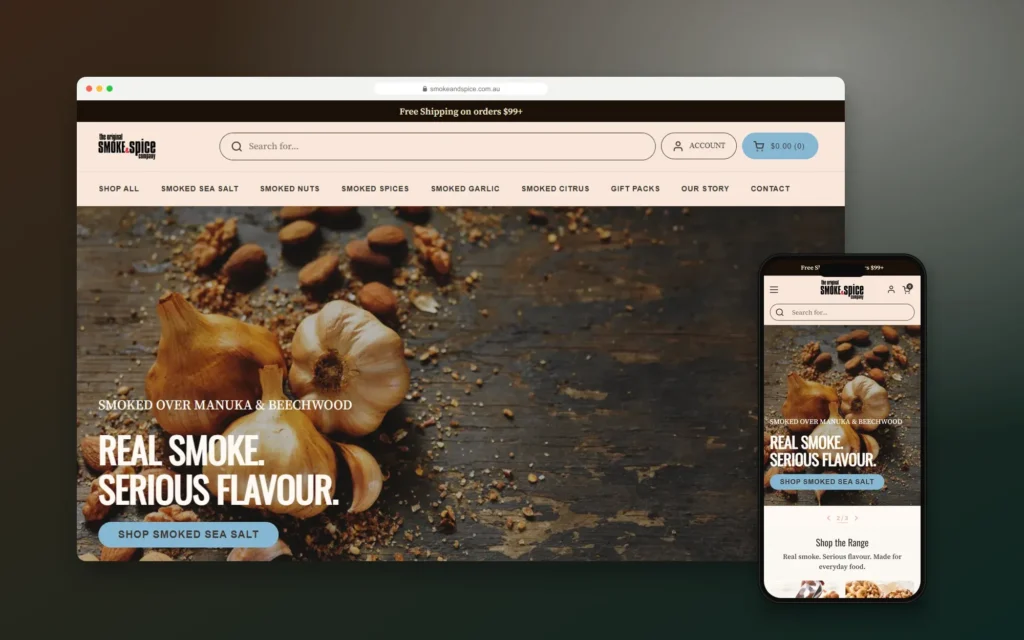
Smoke & Spice – Mobile-First Shopify Store for a Sydney Smoked Foods Brand
Codefreex designed and built a mobile-first Shopify store for The Original Smoke & Spice Company, a family business…

Elevate by She Is Elevated – Luxury Wellness Event Website for Women Leaders
Codefreex designed and built the website for Elevate by She Is Elevated, a one-day luxury reset for executives,…
Client stories
Hear it from our clients
Real founders and teams on what it is like to build with Codefreex.


FAQ
Google Cloud Services: FAQs
Straight answers to what buyers ask us most. Still unsure? Book a free 30-minute call.
How much do Google Cloud services cost?
Our fees depend on scope: an architecture review, a new build, a migration, a BigQuery warehouse or ongoing managed operations. Effort depends on the number of services and databases, data volume and compliance needs. Google bills your cloud usage separately. Codefreex scopes each project on a free 30-minute call and sends a written estimate with projected monthly Google Cloud costs.
How long does a Google Cloud project take?
A first production deployment on Cloud Run with a database, pipeline and monitoring is usually ready in a few weeks. Migrations with large databases, many services or compliance reviews take longer and run in phases over several months. Data warehouse projects depend on the number of sources. We plan work in stages so each one is tested before the next starts.
Should we use Cloud Run or Google Kubernetes Engine?
Start with Cloud Run unless you have a specific reason not to. It runs containers without cluster management, scales to zero and covers most web apps, APIs and background jobs. Choose Google Kubernetes Engine when you run many interdependent services, need stateful workloads or custom networking, or already operate Kubernetes. Codefreex often combines both, keeping GKE for the components that need it.
Can you migrate us from AWS, Azure or Heroku to Google Cloud?
Yes. We migrate applications and databases to Google Cloud from AWS, Microsoft Azure, Heroku, DigitalOcean and traditional hosting. Each component is mapped to its Google Cloud equivalent, databases move with Database Migration Service or native replication to keep downtime short, and both environments run in parallel until the new setup passes testing. A rollback path stays open until you sign off.
How do you keep BigQuery costs under control?
We design for it from the start. Tables are partitioned and clustered so queries scan less data, dashboards read from summary tables instead of raw events, and custom quotas cap how much each user or project can scan per day. We also compare on-demand pricing with BigQuery editions capacity for your usage pattern and set budget alerts on the billing account.
Can you build AI features with Vertex AI and Gemini?
Yes. We build chat assistants, document extraction, classification, search and summarization features using Gemini models on Vertex AI. Each feature is grounded in your own data, tested against real examples before launch and logged in production. Access is controlled through IAM inside your Google Cloud project, and quotas keep usage and cost predictable as adoption grows.
How do you secure a Google Cloud environment?
We begin with the resource hierarchy and IAM. Separate projects isolate production, roles are granted to groups at the narrowest scope, and Workload Identity Federation replaces downloaded service account keys. Databases use private IP, secrets live in Secret Manager, organization policies block risky settings, Cloud Armor protects public endpoints, and audit logs are retained centrally for review.
Do you provide ongoing Google Cloud management?
Yes. Managed operations cover monitoring and alerting with Cloud Monitoring, patching, backup checks and restore tests, security findings, infrastructure changes through Terraform and monthly cost reviews. You get documented runbooks and clear escalation paths, while every project and billing account stays registered to your organization, so you keep full control whether or not we stay involved.
Free estimate
Build on Google Cloud With a Plan
Book a free 30-minute call. We’ll review your workloads and recommend the right Google Cloud services and cost controls.
- A senior strategist reviews your request, not a sales bot
- Clear scope, timeline and estimate within one business day
- Free 30-minute discovery call, no obligation
- NDA available on request
- Emailhello@codefreex.com
- CallUSA +1 (209) 375-3475 · India +91 790 3375 530
- Prefer to talk?Book a 30-minute call
Keep exploring
Related services
Cloud Migration
Codefreex moves your applications, databases and files to AWS, Microsoft Azure or Google Cloud with a thorough assessment, rehearsed cutovers, a rollback plan and cost baselines set before the first workload moves.
ExploreKubernetes Consulting
Codefreex designs, hardens and tunes Kubernetes on Amazon EKS, Azure Kubernetes Service, Google Kubernetes Engine or your own servers, and tells you plainly when a simpler platform would serve you better.
ExploreBusiness Intelligence & Dashboards
Codefreex defines your KPIs, brings sales, marketing and operations data into one warehouse, and builds dashboards in Looker Studio, Power BI or Metabase that your team actually opens.
Explore