
Website security
Website Security Services That Close the Gaps Attackers Use
Security audits, hardening, Cloudflare WAF, patching, backups and monitoring for WordPress, WooCommerce, Shopify, Magento and custom apps, so your site, customers and revenue stay protected.
Quick answer
What do Codefreex’s website security services include?
Codefreex website security services include audits against the OWASP Top 10, hardening for WordPress, WooCommerce, Magento, Shopify and custom apps, Cloudflare WAF and bot protection, patching policies, SSL/TLS and security headers, two-factor authentication and access reviews, tested backups, malware scanning, monitoring and incident response. Codefreex also helps online stores put PCI DSS technical controls in place.
540+
Projects delivered
9+
Years in business
23+
Certified experts




Trusted by 540+ growing businesses worldwide










Website Security
Most hacks start with something small and fixable
Most website breaches are not sophisticated. They start with an outdated plugin, a reused password, a former contractor’s admin account that was never removed, or a backup file left in a public folder. Automated bots scan the web for these gaps around the clock, and small businesses are hit as often as large ones because they are easier targets. The cost shows up as lost sales, blacklist warnings, stolen customer data and days of cleanup.
Codefreex secures websites in layers. We audit your site, server and accounts, fix what we find, and harden the platform so the same doors stay closed. Cloudflare WAF and bot protection filter attacks before they reach your server, a patching policy keeps software current, and tested backups mean you can recover quickly. Monitoring and a clear incident response plan cover the rest, so problems are caught early instead of reported by a customer.
What you get
Website security, layer by layer
Prevention, detection and recovery working together, configured for the platform you run and the risks your business actually faces.
Security Audits
A review of software versions, plugins and extensions, user accounts, server configuration, exposed files, security headers and code against the OWASP Top 10, with findings ranked by risk and effort.
Platform Hardening
Hardening for WordPress, WooCommerce, Magento and custom apps, plus Shopify app permission and staff account reviews: least-privilege roles, tight file permissions, disabled file editing and locked-down admin access.
Cloudflare WAF and Bot Protection
Managed WAF rules, rate limiting on logins and checkout, bot management and Turnstile challenges that block credential stuffing, card testing and scraping without getting in the way of real visitors.
Patching and Updates
A documented update policy for core software, plugins, themes and server packages, with staging tests before production, so security patches go live quickly without breaking your site.
Encryption and Access Control
SSL/TLS configuration, HSTS, Content Security Policy and other security headers, plus two-factor authentication, a password manager for shared logins and regular reviews of who can access what.
Backups, Monitoring and Response
Off-site backups with tested restores, malware and file integrity scanning, uptime and login monitoring, and an incident response plan so you know exactly what happens when something goes wrong.
Platforms and tools we work with
How we work
How we secure your website
Clear phases, a named owner for every deliverable and weekly progress you can see.
Audit and prioritize
We review software, accounts, server settings, exposed files, headers and code, then deliver a report that ranks every finding by risk and effort.
Fix and harden
We patch vulnerable components, remove unused accounts and plugins, apply platform hardening and set up security headers, TLS and two-factor authentication.
Protect at the edge
We configure Cloudflare WAF rules, rate limiting and bot protection, set up off-site backups with a restore test, and turn on malware and uptime monitoring.
Monitor and respond
We apply updates under a documented policy, review alerts and access regularly, and follow your incident response plan if anything suspicious appears.
Who it is for
Sites we protect
WooCommerce and Magento stores
Stores handling payments and customer data that need protection against skimmers, card testing and account takeover, plus support with PCI DSS controls.
Shopify brands
Merchants who want staff accounts, app permissions and third-party scripts reviewed, since platform security does not cover what you install or share.
Business and lead generation sites
WordPress sites where a hack would mean blacklist warnings, lost rankings and lost leads, run by lean teams that need security handled for them.
Custom web apps and portals
Applications with logins and customer data that need code review against the OWASP Top 10, secure deployment and dependency monitoring.
Why teams switch to us
Layered security vs. a single plugin
Typical agency
- Installs a security plugin and stops there
- Scanner reports with no clear fixes
- Backups never tested until disaster strikes
- Updates delayed for months at a time
 Codefreex
- Audit, hardening, WAF and monitoring together
- Findings ranked by risk, with fixes implemented
- Off-site backups with regular restore drills
- Documented patch policy with staging tests
Buyer guide
Website security services: a buyer’s guide
Website security is not one tool or one plugin. This guide explains what a security engagement covers, how hardening differs by platform, which controls matter most, and what drives the cost of protecting your site.
What a website security audit covers
A proper audit looks at the whole attack surface, not just a plugin scan. That means an inventory of core software, plugins, extensions, themes and libraries with known vulnerabilities; a review of every user account and role; server and hosting configuration, including PHP version, file permissions and exposed services; and a search for publicly reachable files such as backups, logs, .env files and .git folders. We test login and password reset flows, check security headers and TLS configuration, and review custom code and forms against common weaknesses like injection, broken access control and insecure file uploads.
The output is a prioritized report, not a wall of scanner output. Each finding explains the risk in plain language, how an attacker could use it and the specific fix, ranked by severity and effort. Some fixes take minutes, such as removing an unused admin account or a forgotten plugin. Others, like replacing an abandoned extension or rewriting an insecure upload handler, need planning. Codefreex can implement every fix after the audit, or hand the report to your own developers. Either way, you know exactly where you stand and what to do first.
Hardening WordPress, WooCommerce, Magento and Shopify
WordPress and WooCommerce hardening starts with removing unused plugins and themes, enforcing least-privilege roles, disabling file editing in the dashboard, protecting wp-admin and XML-RPC, blocking user enumeration and tightening file permissions. Stores also need protection against card-testing attacks on checkout, restricted REST API keys and secure webhook secrets. Magento and Adobe Commerce need timely security patches, a custom admin path, admin two-factor authentication and close monitoring of checkout JavaScript, because payment skimmers target Magento stores heavily. Custom apps get a review of authentication, sessions, input validation, secrets management and dependency updates.
Shopify secures its own platform and payment infrastructure, so hardening focuses on what you control. That means reviewing staff accounts and permissions, removing collaborator access you no longer need, requiring two-factor authentication and auditing every installed app’s access scopes, because an app with write access to orders and customers is a real risk if its developer is compromised. We also review third-party scripts in your theme and checkout extensions. On every platform the principle is the same: fewer components, fewer accounts and fewer permissions mean fewer ways in.
Cloudflare WAF, bot protection and the OWASP Top 10
A web application firewall filters malicious traffic before it reaches your server. Cloudflare’s WAF includes managed rulesets that block common attacks such as SQL injection and cross-site scripting, and we add custom rules for your platform: protecting login pages, rate limiting password resets and checkout, restricting admin access, and challenging suspicious traffic with Turnstile instead of blocking real customers. Bot protection stops credential stuffing, card testing, content scraping and fake signups, which often cost stores more than a single hack. Cloudflare also absorbs DDoS attacks and hides your origin server’s IP address.
The OWASP Top 10 is the standard list of the most critical web application security risks, including broken access control, injection, security misconfiguration, authentication failures and vulnerable or outdated components. A WAF reduces exposure to some of these, but it cannot fix them. Broken access control, for example, lives in your application’s code, where a logged-in user might view another customer’s order by changing an ID in the URL. That is why we treat the WAF as one layer: it blocks automated attacks and buys time, while code fixes, patching and access control close the underlying gaps.
Security headers, access control, backups and PCI DSS
Several controls are quick to implement and block entire classes of attacks. HTTPS everywhere, with modern TLS settings and automatic certificate renewal. HSTS, so browsers never connect over plain HTTP. Content Security Policy, which limits where scripts can load from and makes injected code much harder to run. On the account side, two-factor authentication for every admin, hosting and DNS login, a password manager for shared credentials, and regular access reviews that remove former staff, agencies and freelancers. Many real compromises start with an account, not an exploit, which is why access control gets as much attention as code.
Backups only count if you can restore them. We set up automated off-site backups stored separately from your hosting account, with enough retention to recover from a compromise discovered weeks later, then run restore drills to prove they work. For online stores, PCI DSS applies whenever you accept card payments. Hosted payment fields or a provider’s checkout reduce your scope, but version 4.0 of the standard added requirements around scripts running on payment pages. Which requirements apply depends on your setup and validation type, and we help you put the technical controls in place for your assessment.
What drives website security cost
Website security cost depends on your platform and how many sites you run, the number of plugins, extensions and integrations, whether custom code needs review, the current state of the site, and how much ongoing monitoring and response you want. A well-maintained WordPress site needs less work than a store several major versions behind with abandoned extensions. Your Cloudflare plan also affects which WAF and bot features are available. Codefreex usually starts with an audit, then quotes remediation and ongoing protection separately, so you can decide what to fix first and what to monitor over time.
The most common mistakes are easy to avoid. Installing a security plugin and assuming the job is done. Delaying updates for months because the last one broke something, instead of testing on staging. Sharing one admin login across the team and outside agencies. Keeping backups on the same server that gets hacked. Treating an SSL certificate as the whole of security. And having no plan for what happens when something goes wrong. If your site is already compromised, start with malware removal and root-cause analysis, then move to hardening, so you do not lock an attacker inside.
Selected work
Proof from real projects
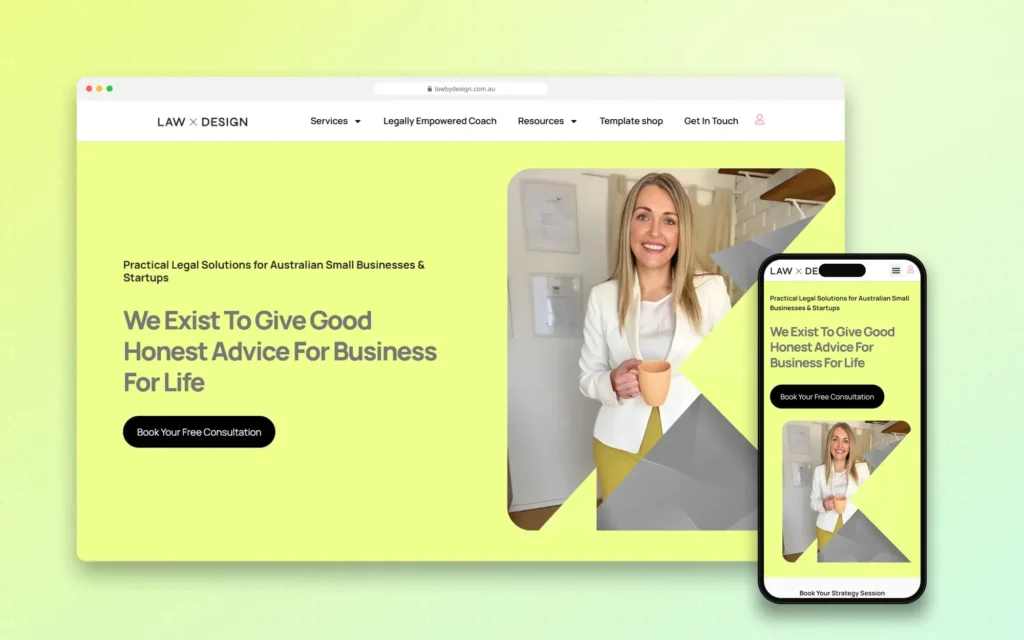 +34.2% Google organic sessions, June 2026 vs May
Law by Design – Web Design, Social Media and SEO
Codefreex handles web design, social media and SEO for Law by Design. The team designed and built the…
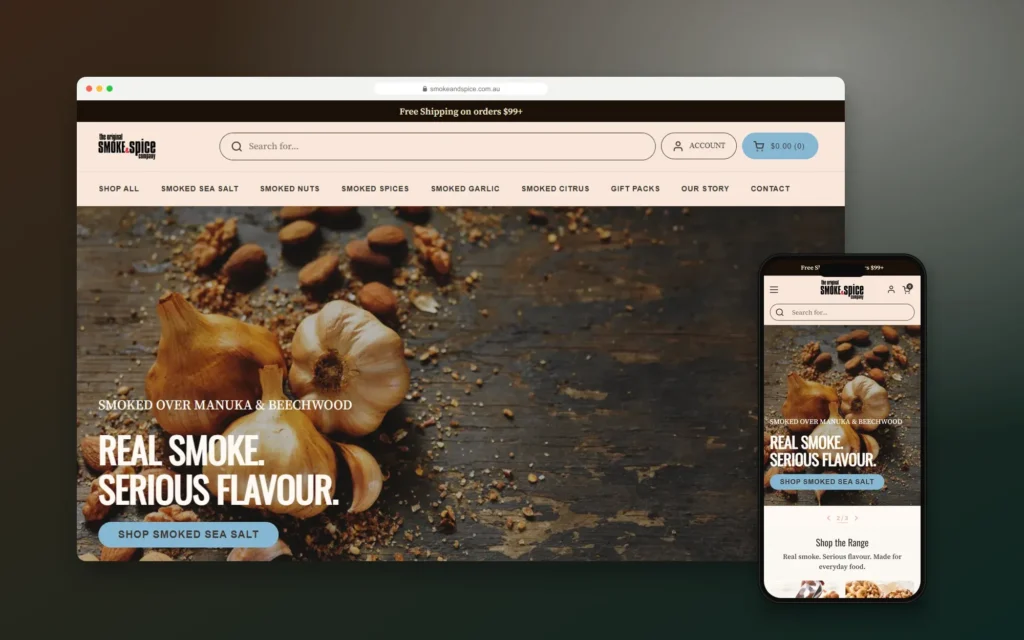
Smoke & Spice – Mobile-First Shopify Store for a Sydney Smoked Foods Brand
Codefreex designed and built a mobile-first Shopify store for The Original Smoke & Spice Company, a family business…

Elevate by She Is Elevated – Luxury Wellness Event Website for Women Leaders
Codefreex designed and built the website for Elevate by She Is Elevated, a one-day luxury reset for executives,…
Client stories
Hear it from our clients
Real founders and teams on what it is like to build with Codefreex.


FAQ
Website Security: FAQs
Straight answers to what buyers ask us most. Still unsure? Book a free 30-minute call.
How much do website security services cost?
Website security cost depends on your platform, the number of sites, plugins and integrations, whether custom code needs review, the current state of the site and how much monitoring you want. Most engagements start with an audit, followed by remediation and an optional ongoing plan. Codefreex provides a free estimate after a 30-minute discovery call, with each phase priced separately.
How long does a website security audit take?
A security audit of a typical WordPress or WooCommerce site usually takes a few days, while larger stores, multiple sites or custom applications with code review take longer. Fixing the findings depends on what we discover: some fixes are quick, others need staging tests first. We share critical issues as soon as we find them rather than waiting for the final report.
Is a security plugin enough to protect my WordPress site?
No. Plugins like Wordfence are useful for firewall rules, malware scanning and login protection, but they cannot fix outdated software, weak accounts, insecure hosting, exposed files or vulnerable custom code. Security works in layers: hardening, updates, access control, a WAF like Cloudflare, tested backups and monitoring. A plugin is one useful layer, not the whole plan.
Do you secure Shopify stores?
Yes. Shopify secures its own platform and payment infrastructure, so we focus on what you control: staff accounts and permissions, two-factor authentication, collaborator access, installed apps and their access scopes, and third-party scripts in your theme. Codefreex is a Shopify Partner, and we also review custom apps and integrations connected to your store for safe handling of API credentials.
Will a web application firewall slow down my website?
Usually not. A cloud WAF such as Cloudflare runs at the network edge, close to your visitors, and is often paired with caching and a CDN that make sites faster overall. Bot protection also cuts server load by blocking junk traffic. We tune rules to avoid blocking real customers and test checkout, forms and logins after every change.
Do you help with PCI DSS compliance for online stores?
We help you put the technical controls in place, including secure checkout configuration, script monitoring on payment pages, access control, patching, logging and network protection. Which PCI DSS requirements apply depends on how you take payments and your validation type, which your acquiring bank or a qualified assessor confirms. We prepare the technical evidence, and they handle the formal assessment.
What happens if my site gets hacked while you protect it?
Monitoring is designed to catch problems early. If something suspicious appears, we follow the incident response plan agreed with you: contain the issue, preserve evidence, clean the site, find and close the entry point, rotate credentials and restore from a clean backup where needed. You get a clear incident report afterward, including what changed to prevent a repeat.
How often should a website have a security audit?
Run a full audit at least once a year, and after major changes such as a redesign, platform migration, new payment integration or significant custom development. Between audits, continuous updates, vulnerability alerts, access reviews and monitoring handle day-to-day risk. Stores and sites handling sensitive data benefit from more frequent reviews, especially before peak sales periods.
Free estimate
Find your security gaps before attackers do
Tell us about your site and platform. We’ll recommend an audit scope and the fixes worth making first.
- A senior strategist reviews your request, not a sales bot
- Clear scope, timeline and estimate within one business day
- Free 30-minute discovery call, no obligation
- NDA available on request
- Emailhello@codefreex.com
- CallUSA +1 (209) 375-3475 · India +91 790 3375 530
- Prefer to talk?Book a 30-minute call
Keep exploring
Related services
Malware Removal & Hack Repair
We clean hacked WordPress, WooCommerce, Magento and PHP sites, remove backdoors, spam and redirects, get Google warnings and blacklists reviewed, and close the hole the attacker used.
ExploreWebsite Maintenance
Codefreex handles security monitoring, tested updates, off-site backups, uptime alerts and speed tuning for WordPress, Shopify and Magento sites, so problems often get fixed before customers notice.
ExploreManaged Hosting
Codefreex sets up, secures and runs hosting for WordPress, WooCommerce, Laravel, Node.js and headless sites, with Cloudflare protection, daily off-site backups, tested updates and uptime monitoring included.
Explore