
WordPress plugin development
WordPress Plugin Development for Features Built Your Way
Custom plugins, Gutenberg blocks, WooCommerce extensions and integrations, written to WordPress coding standards, secured properly and built to stay fast as your site grows.
Quick answer
What do Codefreex’s WordPress plugin development services include?
Codefreex WordPress plugin development services include custom plugins, Gutenberg blocks, WooCommerce extensions, REST API endpoints, WP-CLI commands, admin interfaces, integrations, licensing and update systems, and WordPress.org plugin directory submission. Every plugin follows WordPress coding standards, uses nonces, capability checks and escaping for security, and is tested for performance. Codefreex builds and sells its own plugins too.
540+
Projects delivered
9+
Years in business
23+
Certified experts




Trusted by 540+ growing businesses worldwide











WordPress Plugin Development
When no plugin does exactly what you need
- 540+projects delivered
- 9+years in business
- 23+certified experts
A senior strategist replies within one business day.
The WordPress plugin directory lists tens of thousands of plugins, yet the feature you need often sits between three of them. You install one for the form, another for the CRM sync and a third for the custom report, then spend your time fixing conflicts, paying for unused features and waiting on updates that may never come. Each extra plugin adds code, database queries and security risk.
Codefreex builds plugins that do one job well, the way your business needs it done. That can be a custom Gutenberg block, a WooCommerce extension, a REST API for your mobile app, an integration with your CRM or a commercial plugin you plan to sell. We have built and shipped our own plugins, including PageForge and the ThemeFreex range, so we know the full life cycle, from first commit to licensing and updates.
What you get
WordPress plugin services we deliver
From one custom block to a commercial plugin with licensing and updates, every build is secure, standards-compliant and fast.
Custom Plugin Development
Purpose-built plugins for custom post types, business logic, integrations, scheduled tasks and workflows, structured with namespaces, autoloading and hooks so they are easy to extend and maintain.
Gutenberg Block Development
Custom blocks built with block.json, React and the WordPress components library, with block variations, inner blocks and dynamic server rendering where content must stay current.
WooCommerce Extensions
Custom product types, pricing rules, checkout fields, shipping methods and payment integrations, compatible with High-Performance Order Storage and the block-based Cart and Checkout.
REST API and WP-CLI
Custom REST API endpoints with proper permission callbacks for apps and integrations, plus WP-CLI commands for imports, migrations and maintenance tasks your team runs from the terminal.
Admin Interfaces and Settings
Clean admin screens built with the Settings API or React and WordPress components, with list tables, onboarding flows and sensible defaults that make the plugin easy to configure.
Licensing, Updates and Release
License key validation, automatic updates from your own server, WordPress.org directory submission with readme and assets, plus versioning and changelogs for every release.
Platforms and tools we work with
How we work
How we build your plugin
Clear phases, a named owner for every deliverable and weekly progress you can see.
Define Scope and Hooks
We document the feature, data model, user roles and integration points, and check which existing plugins or hooks can be extended instead of rebuilt.
Architect and Prototype
We plan the plugin structure, database tables, REST routes and admin screens, then build a working prototype of the core feature for your feedback.
Build and Test
We develop to WordPress coding standards with automated tests, security review and performance profiling, testing across WordPress versions, PHP versions and common plugin combinations.
Release and Maintain
We deploy or publish the plugin, set up licensing and updates if needed, and keep it compatible as WordPress, WooCommerce and PHP release new versions.
Who it is for
Who we build WordPress plugins for
Businesses with unique workflows
Companies that need custom booking logic, calculators, portals or reports that no directory plugin handles without painful workarounds.
WooCommerce merchants
Stores that need custom pricing, product types, checkout fields or integrations with ERPs, warehouses and marketplaces built as clean extensions.
Plugin and SaaS founders
Teams launching a free, freemium or premium plugin, or connecting their SaaS product to WordPress through a plugin users can install in minutes.
Agencies and developers
Agencies that need a reliable partner to build or rescue complex plugins for client sites, under their brand and coding standards.
Why teams switch to us
Plugins built to last vs. quick hacks
Typical agency
- Missing nonces and capability checks
- Queries and scripts loaded on every page
- No tests, so updates break features
- No plan for WordPress or PHP upgrades
 Codefreex
- Security reviewed against WordPress best practices
- Assets and queries loaded only where needed
- PHPUnit and Playwright tests on every release
- Compatibility maintained with each new release
Buyer guide
WordPress plugin development: a buyer’s guide
A plugin runs on every request your site handles, so quality matters. This guide covers when to build custom, the security and performance basics, distribution options and cost.
Custom plugin vs an existing plugin
Start with what already exists. If a well-maintained plugin with a strong support record covers most of your needs, configure it, and extend it through its hooks if necessary. Many quality plugins expose actions, filters and APIs precisely so developers can add custom behavior without forking the code. A small companion plugin that hooks into an existing one is often faster and cheaper than building from scratch.
Build custom when the feature is core to how you operate, when you are stacking several plugins to approximate one workflow, or when existing options load heavy code on every page for a small feature. Custom also makes sense when you need control over data, security or integration with internal systems. And if you plan to sell the plugin, you need clean, original code that you fully own.
Security essentials every plugin needs
Most WordPress security issues come from plugins, and most of those come from a few avoidable mistakes. Every form and AJAX action needs a nonce to prevent cross-site request forgery. Every privileged action needs a capability check with current_user_can, not just a check that the user is logged in. Every REST route needs a real permission callback rather than one that simply returns true.
Data handling is the other half. We sanitize input as it arrives, validate it against what we expect, and escape output at the moment it is printed with functions such as esc_html and esc_attr. Database queries go through $wpdb->prepare to prevent SQL injection, files are never included from user input, and secrets stay out of version control. We scan code with static analysis tools before every release.
Performance and WordPress coding standards
A slow plugin slows every page. We avoid running queries on every request, cache expensive results with transients or the object cache, and keep autoloaded options small, because bloated autoloaded data loads into memory on each page view. Assets are enqueued only on the screens and pages that use them. Long-running work such as imports or API syncs runs in the background with Action Scheduler instead of blocking a page load.
WordPress coding standards make code predictable for any developer who inherits it. We enforce them with PHP_CodeSniffer and the WordPress Coding Standards rules, prefix or namespace everything to avoid conflicts, and make every string translatable. Automated tests with PHPUnit cover business logic, while Playwright covers critical admin and front-end flows. We test against current WordPress and PHP versions, plus multisite when it applies.
Distributing a plugin: WordPress.org, licensing and updates
The WordPress.org plugin directory is the biggest distribution channel for free and freemium plugins. Submission requires GPL-compatible licensing, a proper readme.txt, no obfuscated code, no tracking without consent and adherence to the directory guidelines. Every plugin goes through a manual review, so we run the Plugin Check tool before submitting and fix issues early. After approval, releases are published through the directory’s SVN repository.
Premium plugins need licensing and updates that you control. Options include Freemius, Easy Digital Downloads with Software Licensing, a WooCommerce-based store or a custom license server, each with different fees and checkout experiences. The plugin validates license keys, checks for updates through the standard WordPress update system and shows clear notices when a license expires. We built this cycle for PageForge and the ThemeFreex catalog, so we design it with support costs in mind.
What drives plugin development cost and timeline
Cost depends on the amount of business logic, the number of admin screens and custom blocks, integrations with external APIs, WooCommerce compatibility requirements and how many WordPress, PHP and plugin combinations must be tested. A small internal plugin with one job is a modest project. A commercial plugin with licensing, onboarding, documentation and directory submission is a product, with ongoing support and update costs to plan for.
Small custom plugins often ship within a few weeks, while commercial plugins and complex WooCommerce extensions are usually delivered in phases over a longer period, starting with a core feature set that real users can test. Directory review times are set by the WordPress.org plugin team, so we plan launches around them. Codefreex scopes each plugin on a free 30-minute call and sends a written estimate before development begins.
Selected work
Proof from real projects

PageForge – Building an AI Programmatic SEO Plugin for WordPress
Codefreex built PageForge, an AI programmatic SEO plugin for WordPress. It turns CSV files or Google Sheets data…
ThemeFreex – Building a Store of WordPress Plugins and Themes
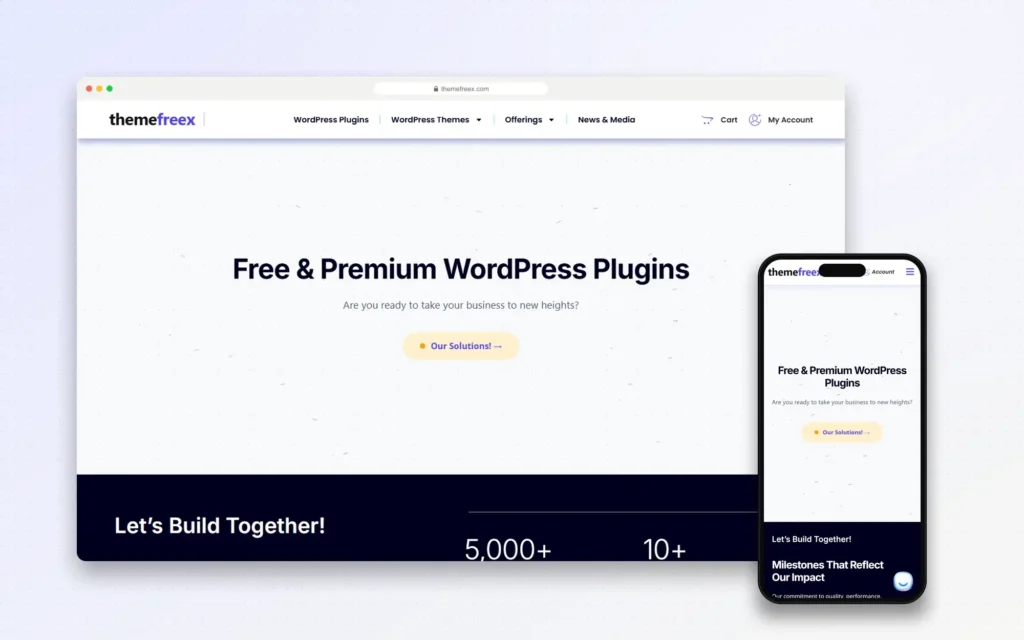
Codefreex built ThemeFreex, its own store of free and premium WordPress plugins and themes. The range covers BackupFlow…
Client stories
Hear it from our clients
Real founders and teams on what it is like to build with Codefreex.


FAQ
WordPress Plugin Development: FAQs
Straight answers to what buyers ask us most. Still unsure? Book a free 30-minute call.
How much does WordPress plugin development cost?
Plugin cost depends on the business logic, the number of admin screens and blocks, external API integrations, WooCommerce requirements and the range of WordPress and PHP versions to test. Commercial plugins also need licensing, documentation and support planning. Codefreex scopes each plugin on a free 30-minute call and sends a written estimate before development starts.
How long does it take to develop a WordPress plugin?
Small custom plugins with one clear job often ship within a few weeks. Commercial plugins, complex WooCommerce extensions and plugins with many integrations are usually delivered in phases, starting with a core feature set users can test. WordPress.org directory review adds time that the plugin review team controls, so we plan launch dates around it.
Can you build a custom Gutenberg block?
Yes. We build custom blocks with block.json, React and the WordPress components library, including block variations, inner blocks, block styles and dynamic blocks rendered on the server when content must stay current. Blocks can be packaged in a plugin so they survive theme changes, and we design their controls so your layouts stay consistent.
Can you extend WooCommerce with custom features?
Yes. We build WooCommerce extensions for custom product types, dynamic pricing, checkout fields, shipping methods, payment gateways and integrations with ERPs and warehouses. Every extension is built for High-Performance Order Storage and the block-based Cart and Checkout, and tested with the extensions you already run, so updates do not break your store.
How do you make sure a plugin is secure?
We use nonces on every form and AJAX request, capability checks on every privileged action and real permission callbacks on REST routes. Input is sanitized and validated, output is escaped, and database queries use prepared statements. Code is checked with static analysis and the WordPress Coding Standards before each release, and we review dependencies for known vulnerabilities.
Can you publish our plugin on WordPress.org?
Yes. We prepare the plugin for directory review with GPL-compatible licensing, a complete readme.txt, banners, icons and screenshots, and we run the Plugin Check tool to fix issues before submission. After approval we set up the SVN release process and can manage updates, support forum replies and compatibility testing for future WordPress releases.
Can you add licensing and automatic updates to a premium plugin?
Yes. We integrate licensing through Freemius, Easy Digital Downloads Software Licensing or a custom license server, with key activation, expiry notices and automatic updates through the standard WordPress update screen. Codefreex built this for its own products, including PageForge and the ThemeFreex range, so we design licensing that keeps support requests low.
Can you fix or take over an existing plugin?
Yes. We audit the existing code for security issues, performance problems and coding standards, then fix urgent issues first. If the plugin is worth keeping, we refactor it in stages, add tests and document it. If it is beyond repair, we recommend a rebuild and migrate its data and settings so users notice only the improvements.
Free estimate
Need a plugin built the right way?
Tell us what the plugin should do. We’ll scope it, check for existing options and send a free estimate.
- A senior strategist reviews your request, not a sales bot
- Clear scope, timeline and estimate within one business day
- Free 30-minute discovery call, no obligation
- NDA available on request
- Emailhello@codefreex.com
- CallUSA +1 (209) 375-3475 · India +91 790 3375 530
- Prefer to talk?Book a 30-minute call
Keep exploring
Related services
WordPress Theme Development
We build block themes with theme.json, patterns and custom blocks, so your site loads fast, meets accessibility standards and stays easy for your team to edit in the Site Editor.
ExploreWooCommerce Development
Codefreex builds fast, flexible WooCommerce stores with custom plugins, regional payment and shipping integrations and a checkout tuned for conversions, all on WordPress you control.
ExploreWebsite Security
Security audits, hardening, Cloudflare WAF, patching, backups and monitoring for WordPress, WooCommerce, Shopify, Magento and custom apps, so your site, customers and revenue stay protected.
Explore