

WordPress plugin
Dropndot Article Duplicator
Duplicate posts, pages, and custom post types in one click, with full control over metadata, taxonomies, media, and author when you need it.
- Version
- 1.0.0
- Last updated
- Nov 6, 2026
- Tested up to
- WordPress 7.1.5
- Requires
- WP 6.3 · PHP 7.4
Health check
Is Dropndot Article Duplicator safe to rely on?
Our reading of the public WordPress.org data: maintenance, compatibility, ratings and support.
Actively maintained
Last updated on November 6, 2026. Regular updates usually mean bugs and security reports get fixed.
Tested with current WordPress
The author has tested it up to WordPress 7.1.5.
Requires PHP 7.4 or newer
Check your hosting PHP version before installing. Modern PHP is faster and receives security fixes.
Rank tracker
Where Dropndot Article Duplicator ranks in WordPress.org search
Its position in WordPress.org plugin search for its tags and name, refreshed weekly so you can see how its visibility changes.
| Keyword | Position | Change | Trend | Current #1 |
|---|---|---|---|---|
| clone | ||||
| content | ||||
| copy post | ||||
| duplicate post | ||||
| duplicator | ||||
| dropndot article duplicator |
Checked against the top 100 WordPress.org search results.
Overview
What Dropndot Article Duplicator does
Dropndot Article Duplicator is a duplication tool for editorial teams that need control and safety, not just a copy button:
Shape each copy before it exists: set the title, slug, status, author, date, parent, content type, taxonomies, and individual custom fields, or create several copies at once.
Decide exactly who can duplicate: grant access to individual users on top of their role. A grant never adds capabilities their role doesn’t have.
Safe by default: content types that a generic copy would break (WooCommerce orders and products, ACF definitions) are blocked. Accidental double clicks and resubmitted forms are caught on the server. A copy is never published or scheduled unless you allow it.
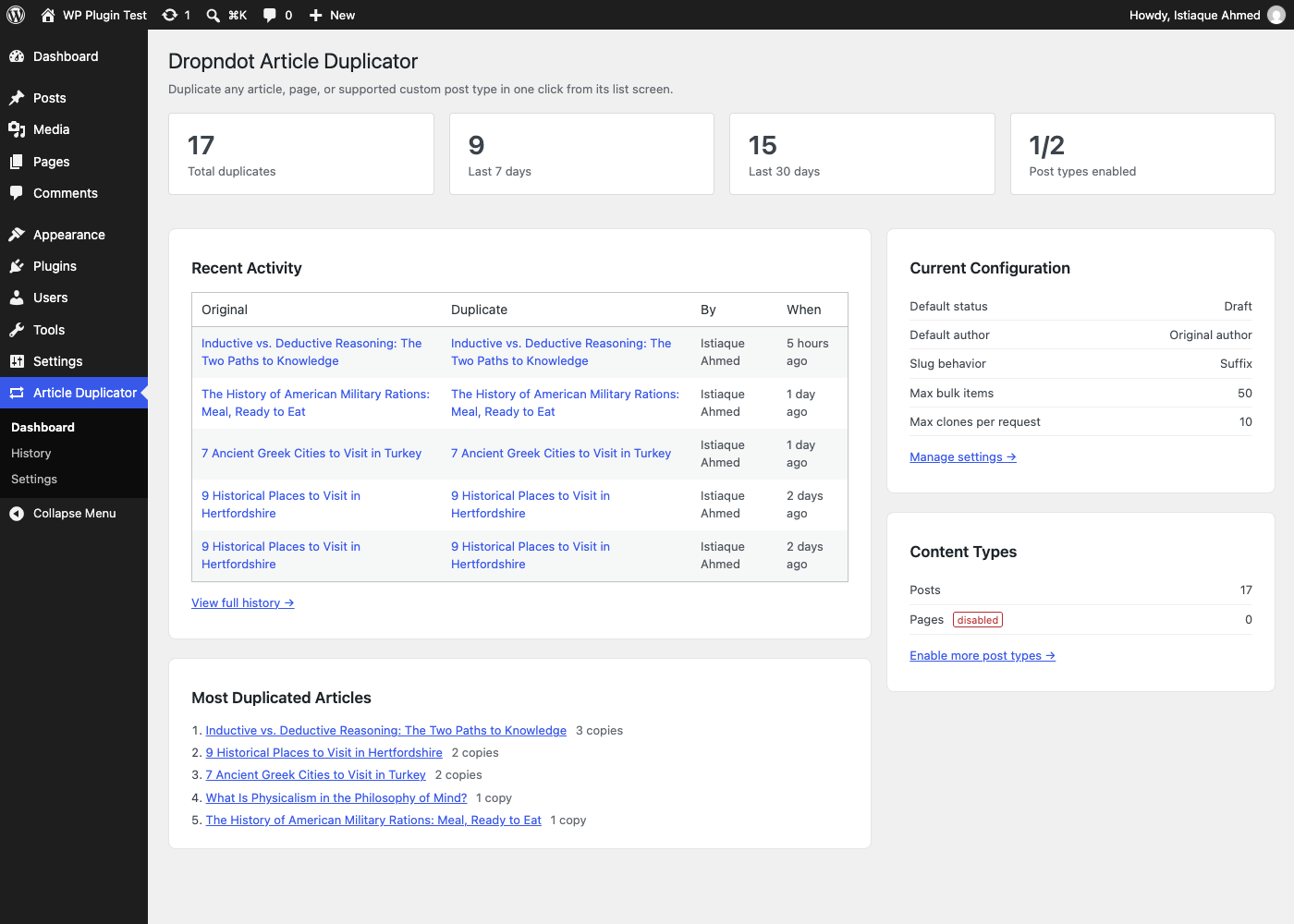
Know what was copied: a history of who duplicated what and when, storing IDs only, with automatic retention.
Automate it: a REST endpoint, a WP-CLI command, and a WordPress Abilities API ability (6.9+), all using the same permission checks.
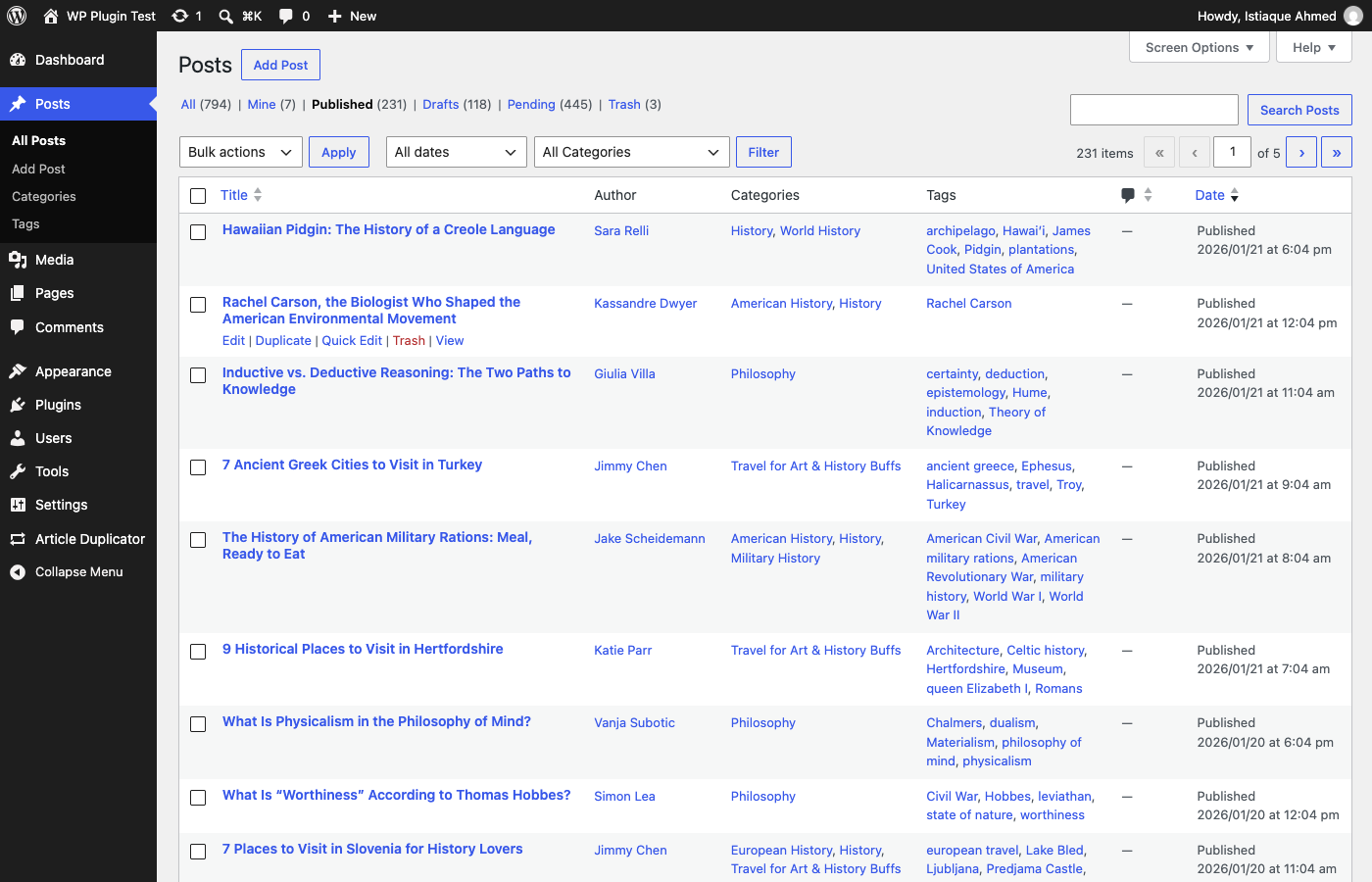
A Duplicate link is added right after Edit on every supported post type’s list screen, with a matching Duplicate option in Bulk Actions for duplicating several at once (up to 200 per action), and to the admin bar when viewing an article. Clicking it creates a draft copy and takes you straight to the editor. No configuration is required to start using it.
Description from the author's listing. Read the full listing on WordPress.org
Screenshots
Dropndot Article Duplicator in action

FAQ
Dropndot Article Duplicator: questions and answers
What is Dropndot Article Duplicator?
Dropndot Article Duplicator is a WordPress plugin by Dropndot Solutions. Duplicate posts, pages, and custom post types in one click, with full control over metadata, taxonomies, media, and author when you need it.
Is Dropndot Article Duplicator free?
Dropndot Article Duplicator is listed in the WordPress.org plugin directory, so the version there is free to download and use. Some authors also sell paid add-ons or a premium edition with more features and support.
Is Dropndot Article Duplicator still maintained?
Dropndot Article Duplicator was last updated on November 6, 2026. The current version is 1.0.0. Check the changelog on WordPress.org and test updates on a staging site before applying them to a live site.
What does Dropndot Article Duplicator require?
Dropndot Article Duplicator requires WordPress 6.3 or newer and PHP 7.4 or newer. It has been tested up to WordPress 7.1.5.
Can Codefreex set up or customize Dropndot Article Duplicator?
Yes. Codefreex installs, configures and customizes WordPress plugins including Dropndot Article Duplicator, fixes conflicts and performance problems, and builds custom features when a plugin does not do exactly what you need. Send your site URL for a free review.
Free expert review
Need Dropndot Article Duplicator set up, customized or fixed?
Tell us about your site and what you need this plugin to do. A senior WordPress developer replies within one business day with a plan and a quote.