

WordPress plugin
iDownAlert
Instant email and Telegram alerts when your site breaks: fatal errors, database outages, malware, file changes, brute-force bots and risky changes.
- Version
- 1.0.1
- Last updated
- Nov 26, 2026
- Tested up to
- WordPress 7.2
- Requires
- WP 6.4 · PHP 7.4
Health check
Is iDownAlert safe to rely on?
Our reading of the public WordPress.org data: maintenance, compatibility, ratings and support.
Actively maintained
Last updated on November 26, 2026. Regular updates usually mean bugs and security reports get fixed.
Tested with current WordPress
The author has tested it up to WordPress 7.2.
Requires PHP 7.4 or newer
Check your hosting PHP version before installing. Modern PHP is faster and receives security fixes.
Rank tracker
Where iDownAlert ranks in WordPress.org search
Its position in WordPress.org plugin search for its tags and name, refreshed weekly so you can see how its visibility changes.
| Keyword | Position | Change | Trend | Current #1 |
|---|---|---|---|---|
| brute force(WordPress.org search, opens in a new tab) | Not in top 100 | First check | Limit Login Attempts Security – Login Security, 2FA, Firewall, Brute Force Prevention1M+ installs | |
| downtime(WordPress.org search, opens in a new tab) | Not in top 100 | First check | Jetpack – AI Agents & MCP, Security, Backup & Analytics3M+ installs | |
| malware scanner(WordPress.org search, opens in a new tab) | Not in top 100 | First check | Wordfence Security – Firewall, Malware Scan, and Login Security5M+ installs | |
| security alerts(WordPress.org search, opens in a new tab) | Not in top 100 | First check | Wordfence Security – Firewall, Malware Scan, and Login Security5M+ installs | |
| uptime monitor(WordPress.org search, opens in a new tab) | Not in top 100 | First check | All-In-One Security (AIOS) – Security and Firewall1M+ installs | |
| idownalert(WordPress.org search, opens in a new tab) | #1 | First check | iDownAlertThis pluginUnder 10 installs |
Checked against the top 100 WordPress.org search results on .
Overview
What iDownAlert does
iDownAlert tells you the moment something goes wrong on your WordPress site, so you hear about it before your visitors or customers do.
White screen / fatal errors. Get the error message, the file and line, and which plugin or theme caused it.
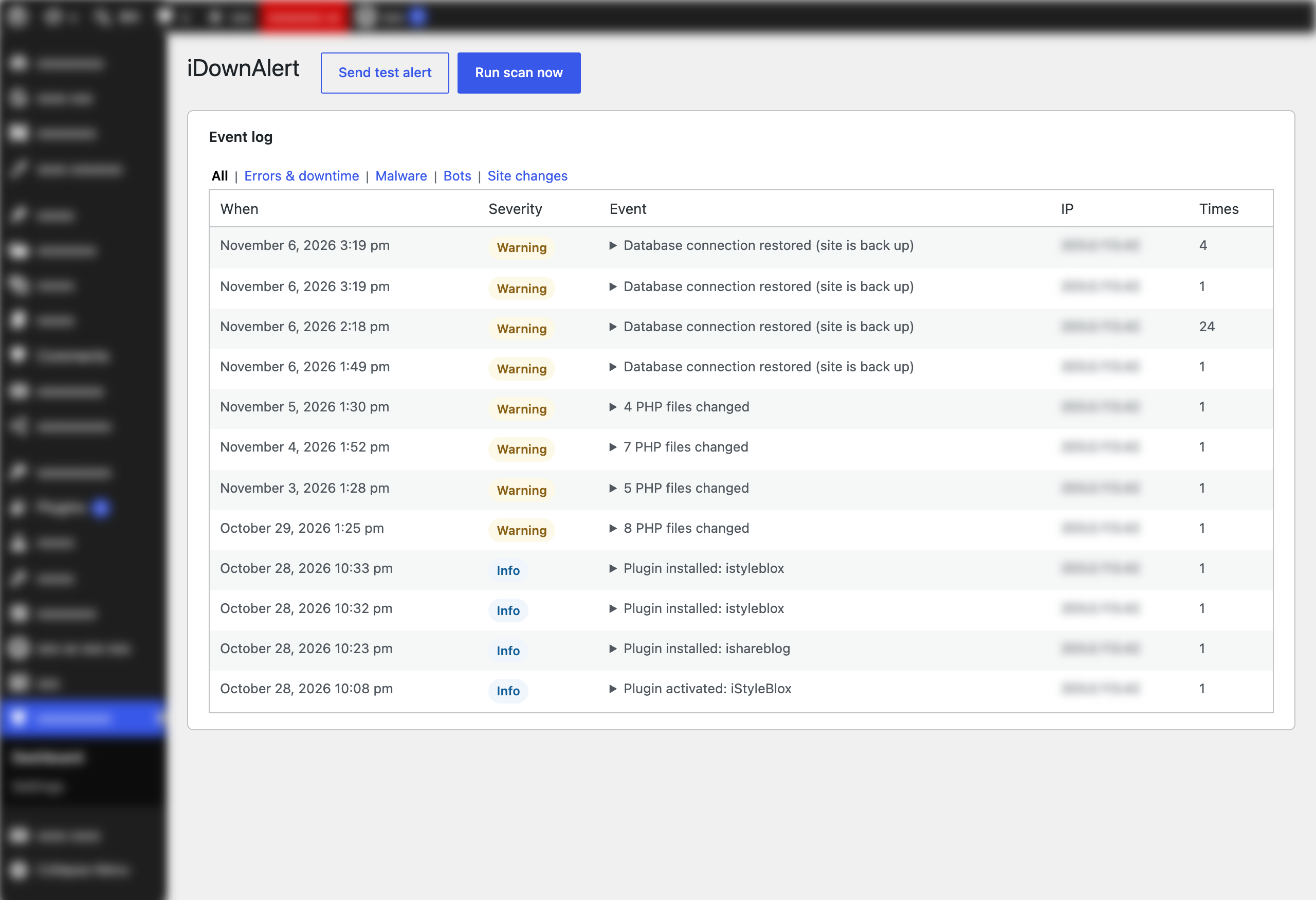
Database down. When WordPress shows “Error establishing a database connection”, you get an email, and visitors see a clean “We’ll be right back” page instead. You are told again when the database comes back, with the total downtime.
Works when WordPress can’t. Two small files in wp-content (db-error.php and fatal-error-handler.php) send alerts even when the database is down or a plugin crashes before the others load.
Whole server down? No plugin can send an email from a server that is switched off, so iDownAlert gives you a private heartbeat URL to add to a free uptime monitor such as UptimeRobot. The dashboard shows step-by-step instructions and confirms when the monitor is connected.
Optionally compares WordPress core files with the official checksums from wordpress.org (off until you turn it on).
Flags unknown PHP files in wp-admin, wp-includes and the site root.
Description from the author's listing. Read the full listing on WordPress.org
Screenshots
iDownAlert in action


FAQ
iDownAlert: questions and answers
What is iDownAlert?
iDownAlert is a WordPress plugin by Fareed Daar. Instant email and Telegram alerts when your site breaks: fatal errors, database outages, malware, file changes, brute-force bots and risky changes.
Is iDownAlert free?
iDownAlert is listed in the WordPress.org plugin directory, so the version there is free to download and use. Some authors also sell paid add-ons or a premium edition with more features and support.
Is iDownAlert still maintained?
iDownAlert was last updated on November 26, 2026. The current version is 1.0.1. Check the changelog on WordPress.org and test updates on a staging site before applying them to a live site.
What does iDownAlert require?
iDownAlert requires WordPress 6.4 or newer and PHP 7.4 or newer. It has been tested up to WordPress 7.2.
Can Codefreex set up or customize iDownAlert?
Yes. Codefreex installs, configures and customizes WordPress plugins including iDownAlert, fixes conflicts and performance problems, and builds custom features when a plugin does not do exactly what you need. Send your site URL for a free review.
Free expert review
Need iDownAlert set up, customized or fixed?
Tell us about your site and what you need this plugin to do. A senior WordPress developer replies within one business day with a plan and a quote.