

WordPress plugin
Inhale: MCP Abilities Manager by Respira
See every ability your plugins give AI agents over MCP, and choose which ones Claude, ChatGPT and other AI clients can use. No code.
- Active installs
- 100+
- Version
- 0.7.1
- Last updated
- Oct 28, 2026
- Tested up to
- WordPress 7.1.5
- Requires
- WP 6.8 · PHP 7.4
Health check
Is Inhale: MCP Abilities Manager by Respira safe to rely on?
Our reading of the public WordPress.org data: maintenance, compatibility, ratings and support.
Actively maintained
Last updated on October 28, 2026. Regular updates usually mean bugs and security reports get fixed.
Tested with current WordPress
The author has tested it up to WordPress 7.1.5.
Requires PHP 7.4 or newer
Check your hosting PHP version before installing. Modern PHP is faster and receives security fixes.
Rank tracker
Where Inhale ranks in WordPress.org search
Its position in WordPress.org plugin search for its tags and name, refreshed weekly so you can see how its visibility changes.
| Keyword | Position | Change | Trend | Current #1 |
|---|---|---|---|---|
| abilities | ||||
| chatgpt | ||||
| claude | ||||
| mcp | ||||
| mcp-server | ||||
| inhale |
Checked against the top 100 WordPress.org search results.
Overview
What Inhale: MCP Abilities Manager by Respira does
Inhale: MCP Abilities Manager shows you, on one screen, every action your WordPress site offers to AI agents through the Model Context Protocol (MCP), and lets you decide which of them an AI client may use.
Why this matters now. Since WordPress 6.9, plugins register “abilities”: small, named actions such as “get site info”, “create a post” or “update a product”. The WordPress MCP Adapter turns those abilities into tools that Claude, ChatGPT, Cursor and other AI clients can call. Since adapter 0.6 and WordPress 7.1, a plugin that marks its ability as public makes it reachable by AI clients without the site owner choosing. And you may already run the adapter without knowing it: several popular SEO, page builder, form and store plugins load their own copy.
Inhale puts that decision back with you. Nothing changes until you choose.
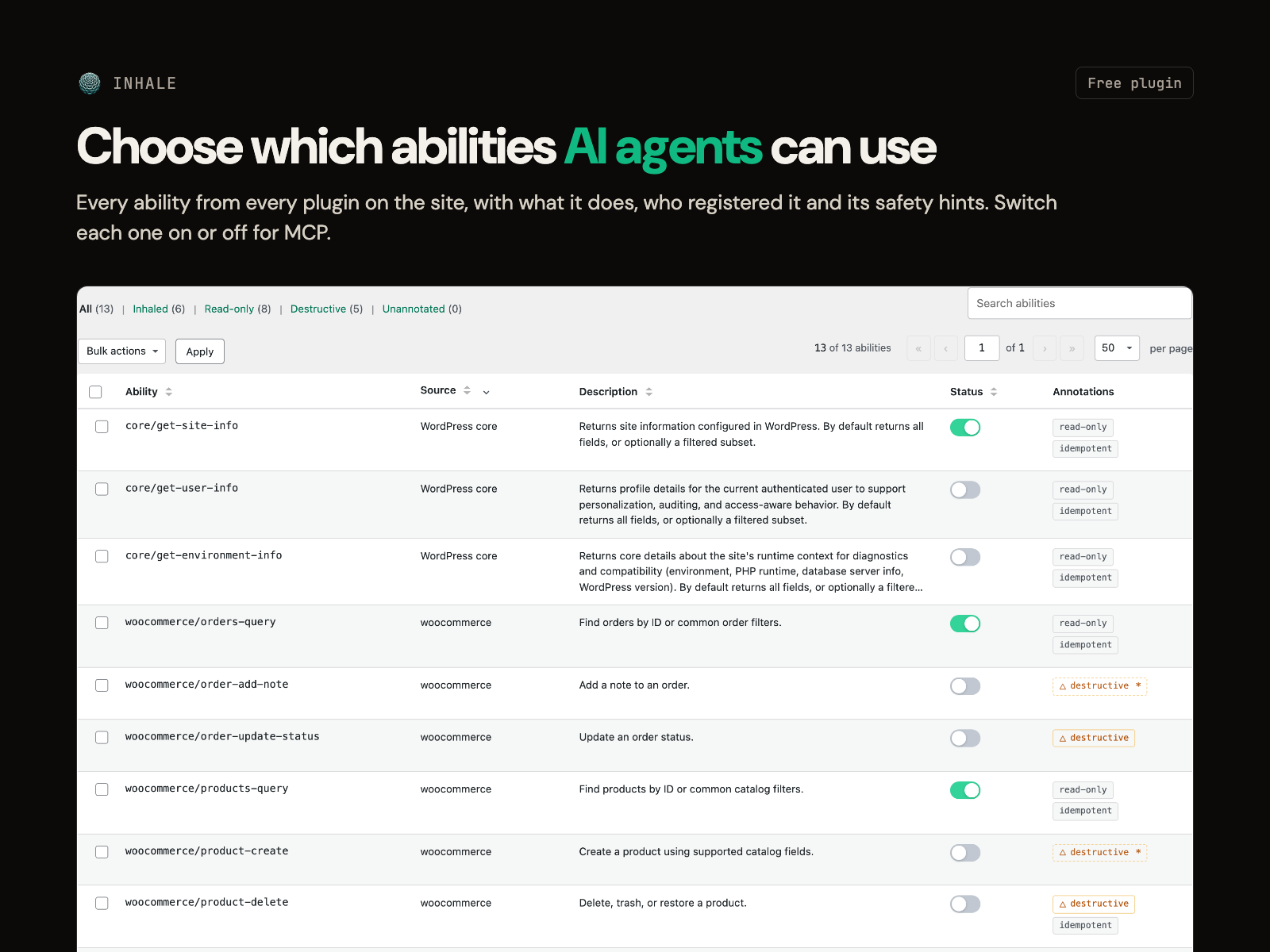
Lists every registered ability on the site, from every plugin and theme, with what it does and which plugin registered it.
Lets you switch each one on or off for MCP with a checkbox, or in bulk.
Shows the safety hints each ability carries: read-only, destructive, idempotent. Filter to read-only abilities in one click. Turning on a destructive ability asks you to confirm.
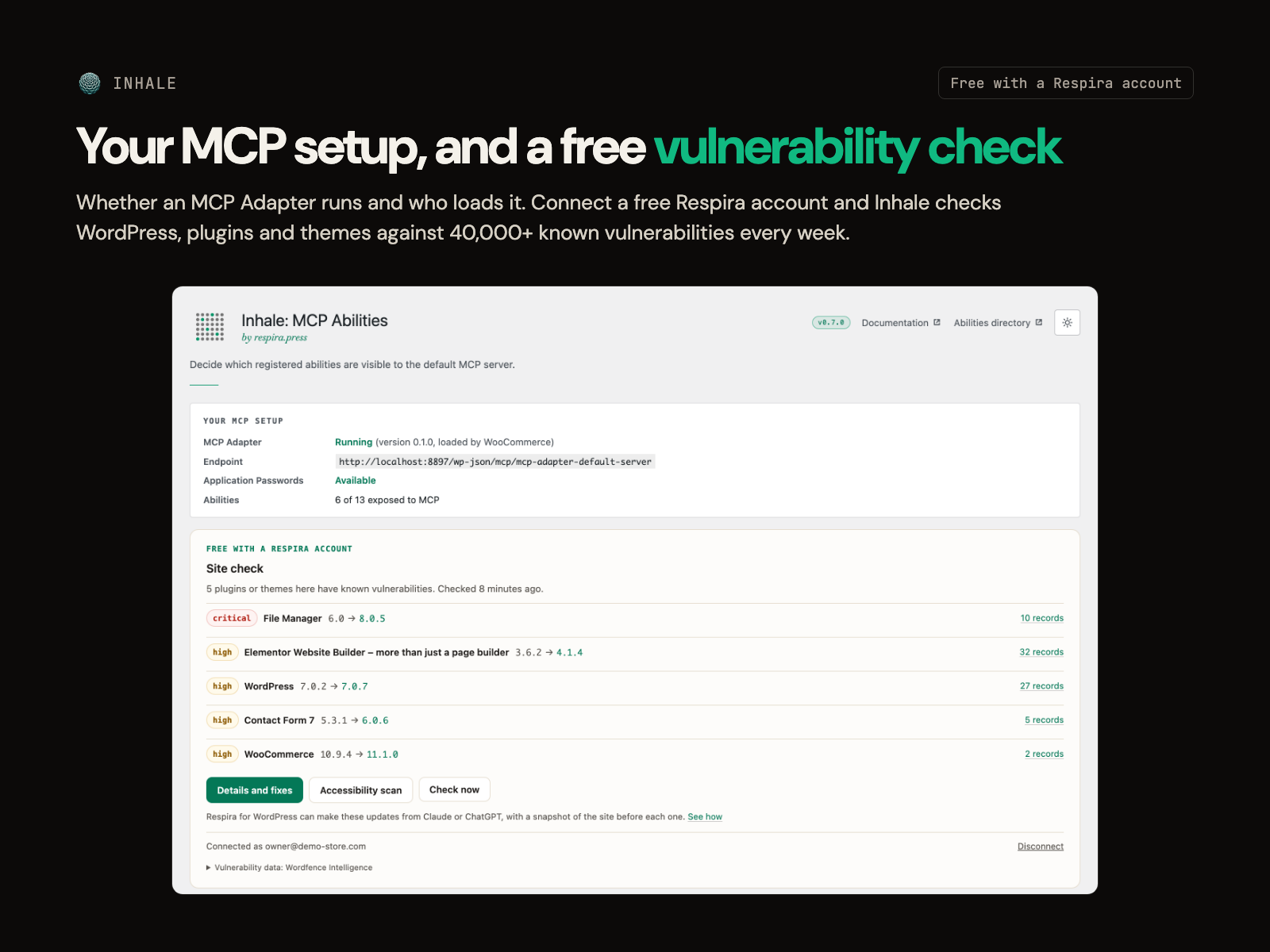
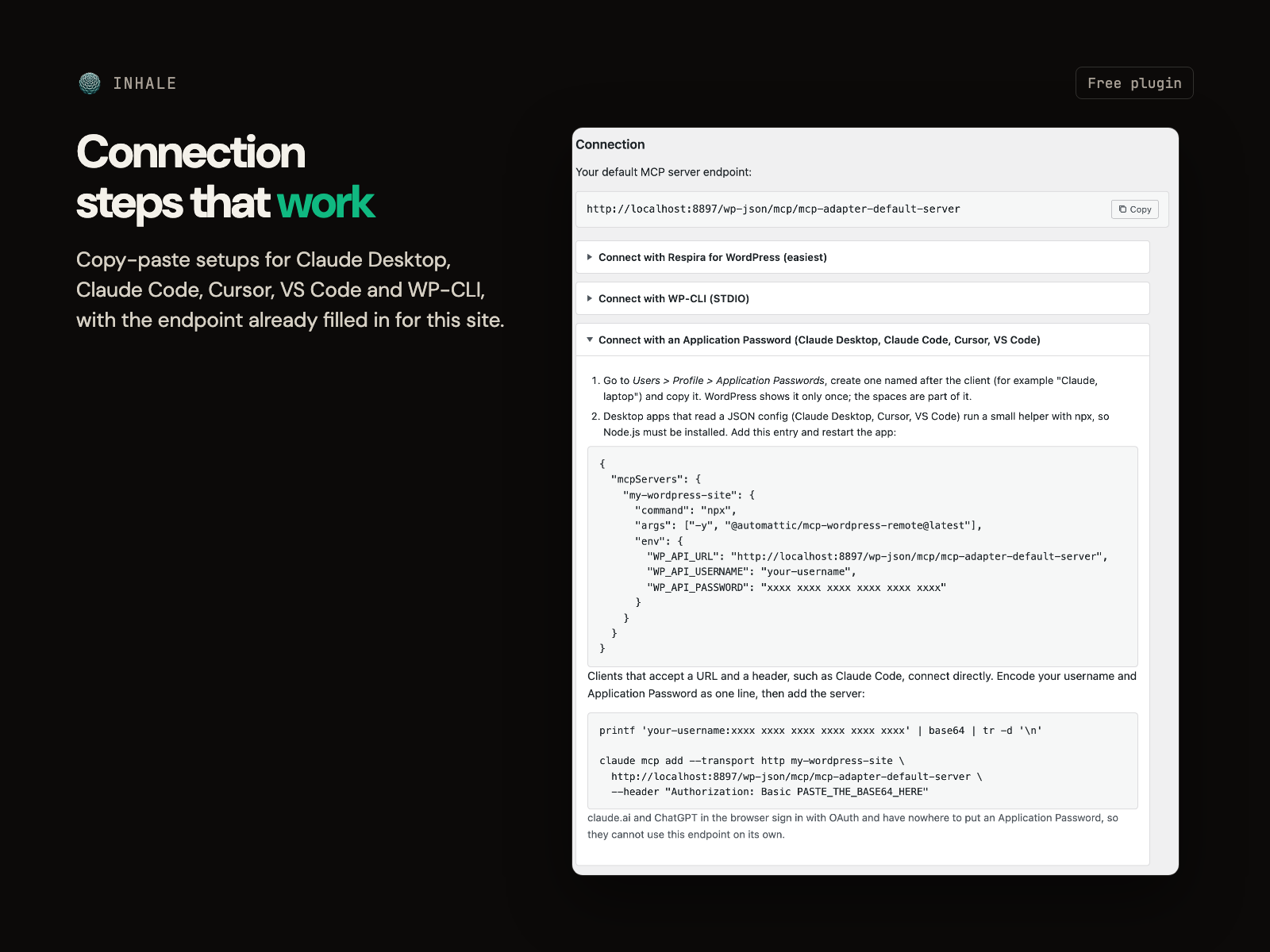
Shows your MCP setup at a glance: whether an MCP Adapter is running, its version and which plugin loads it, your endpoint URL, and whether Application Passwords work on this…
Description from the author's listing. Read the full listing on WordPress.org
Screenshots
Inhale: MCP Abilities Manager by Respira in action
FAQ
Inhale: MCP Abilities Manager by Respira: questions and answers
What is Inhale: MCP Abilities Manager by Respira?
Inhale: MCP Abilities Manager by Respira is a WordPress plugin by Mihai / Respira for WordPress. See every ability your plugins give AI agents over MCP, and choose which ones Claude, ChatGPT and other AI clients can use. No code.
Is Inhale: MCP Abilities Manager by Respira free?
Inhale: MCP Abilities Manager by Respira is listed in the WordPress.org plugin directory, so the version there is free to download and use. Some authors also sell paid add-ons or a premium edition with more features and support.
How many websites use Inhale: MCP Abilities Manager by Respira?
WordPress.org reports 100+ active installations of Inhale: MCP Abilities Manager by Respira. That figure counts sites running the WordPress.org version and is rounded down by WordPress.org.
Is Inhale: MCP Abilities Manager by Respira still maintained?
Inhale: MCP Abilities Manager by Respira was last updated on October 28, 2026. The current version is 0.7.1. Check the changelog on WordPress.org and test updates on a staging site before applying them to a live site.
What does Inhale: MCP Abilities Manager by Respira require?
Inhale: MCP Abilities Manager by Respira requires WordPress 6.8 or newer and PHP 7.4 or newer. It has been tested up to WordPress 7.1.5.
Can Codefreex set up or customize Inhale: MCP Abilities Manager by Respira?
Yes. Codefreex installs, configures and customizes WordPress plugins including Inhale: MCP Abilities Manager by Respira, fixes conflicts and performance problems, and builds custom features when a plugin does not do exactly what you need. Send your site URL for a free review.
Free expert review
Need Inhale: MCP Abilities Manager by Respira set up, customized or fixed?
Tell us about your site and what you need this plugin to do. A senior WordPress developer replies within one business day with a plan and a quote.