

WordPress plugin
Simple History – Track, Log, and Audit WordPress Changes
Track changes and user activities on your WordPress site. See who created a page, uploaded an attachment, and more, for a complete audit trail.
- Active installs
- 300K+
- Rating
- 4.9 / 5
- Version
- 5.36.0
- Last updated
- Oct 17, 2026
- Tested up to
- WordPress 7.1.4
- Requires
- WP 6.3 · PHP 7.4
Health check
Is Simple History – Track, Log, and Audit WordPress Changes safe to rely on?
Our reading of the public WordPress.org data: maintenance, compatibility, ratings and support.
Actively maintained
Last updated on October 17, 2026. Regular updates usually mean bugs and security reports get fixed.
Tested with current WordPress
The author has tested it up to WordPress 7.1.4.
Highly rated by users
Rated 4.9 out of 5 from 493 ratings on WordPress.org.
Responsive support
3 of 4 recent support threads on WordPress.org are marked resolved.
Requires PHP 7.4 or newer
Check your hosting PHP version before installing. Modern PHP is faster and receives security fixes.
Rank tracker
Where Simple History ranks in WordPress.org search
Its position in WordPress.org plugin search for its tags and name, refreshed weekly so you can see how its visibility changes.
| Keyword | Position | Change | Trend | Current #1 |
|---|---|---|---|---|
| activity | ||||
| audit log | ||||
| event log | ||||
| history | ||||
| user tracking | ||||
| simple history |
Checked against the top 100 WordPress.org search results.
Overview
What Simple History – Track, Log, and Audit WordPress Changes does
Trusted by 300,000+ WordPress sites, rated 4.9 stars with 450+ five-star reviews, actively developed for 10+ years, and translated into 15+ languages.
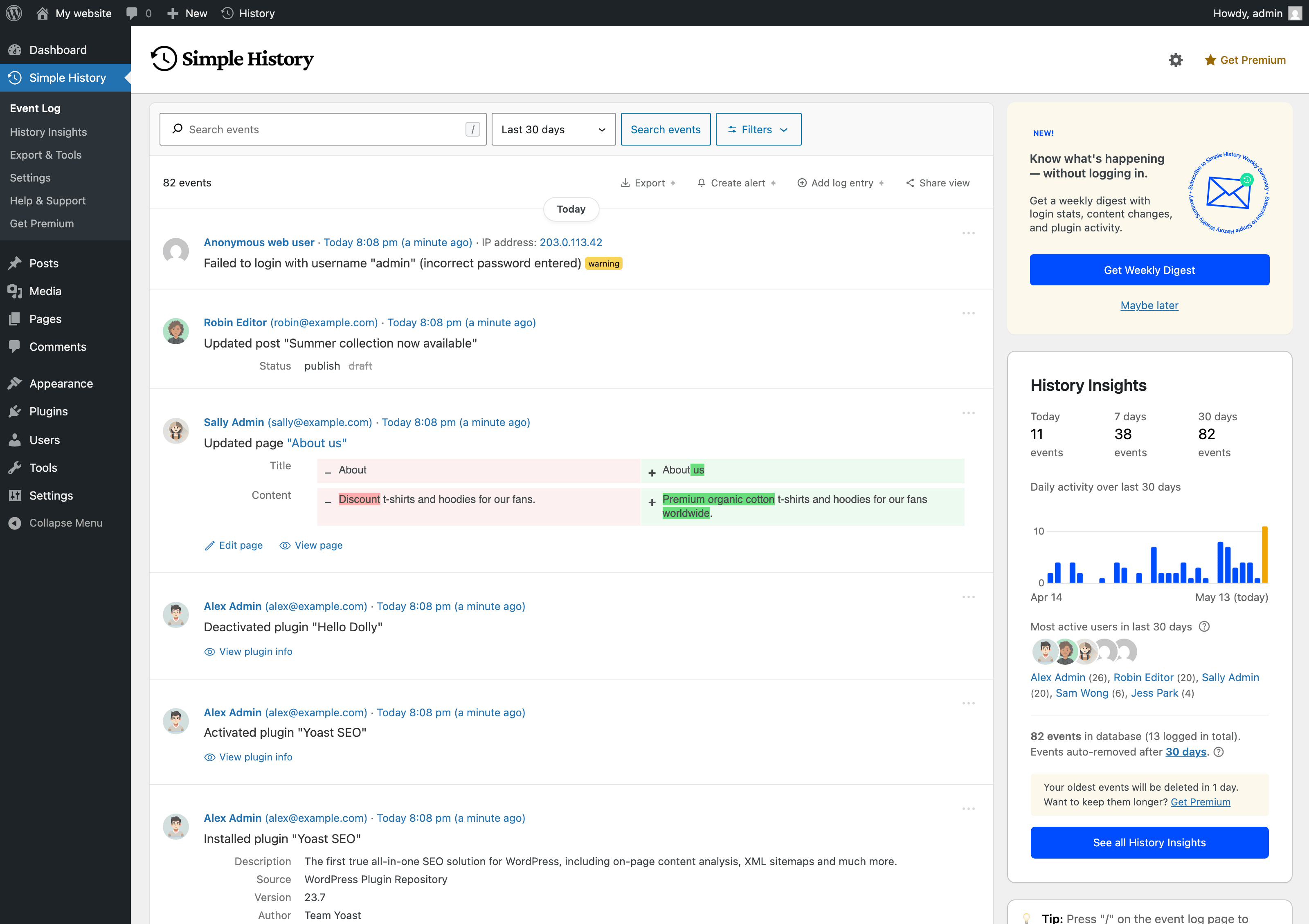
Simple History is the complete audit log for WordPress. It tracks every meaningful change — content edits, user logins, plugin updates, security events, and more — so site owners, teams, agencies, and developers always know who did what and when. Just install and activate; no configuration required.
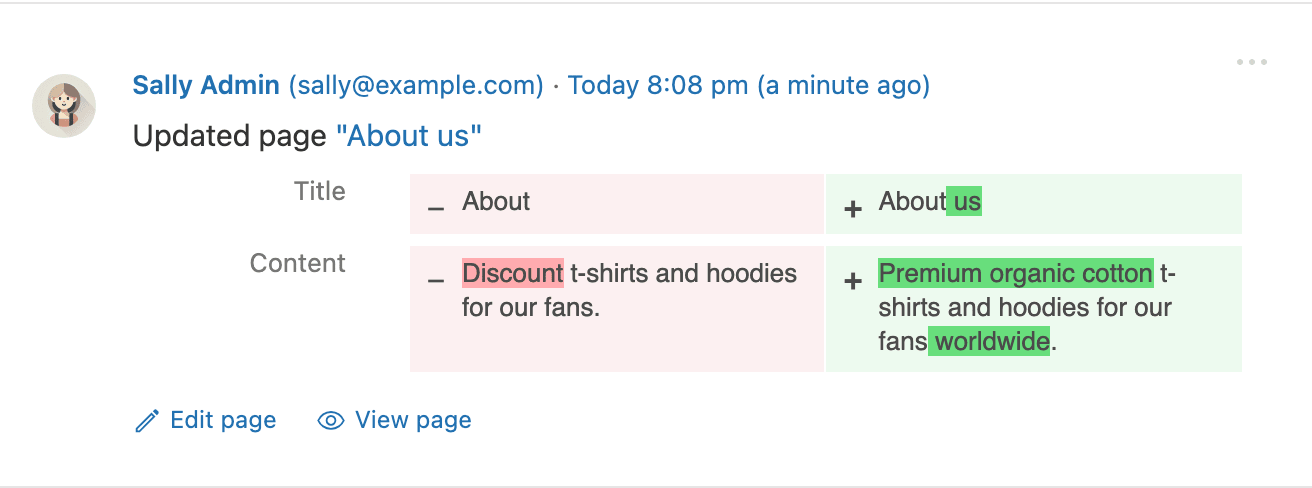
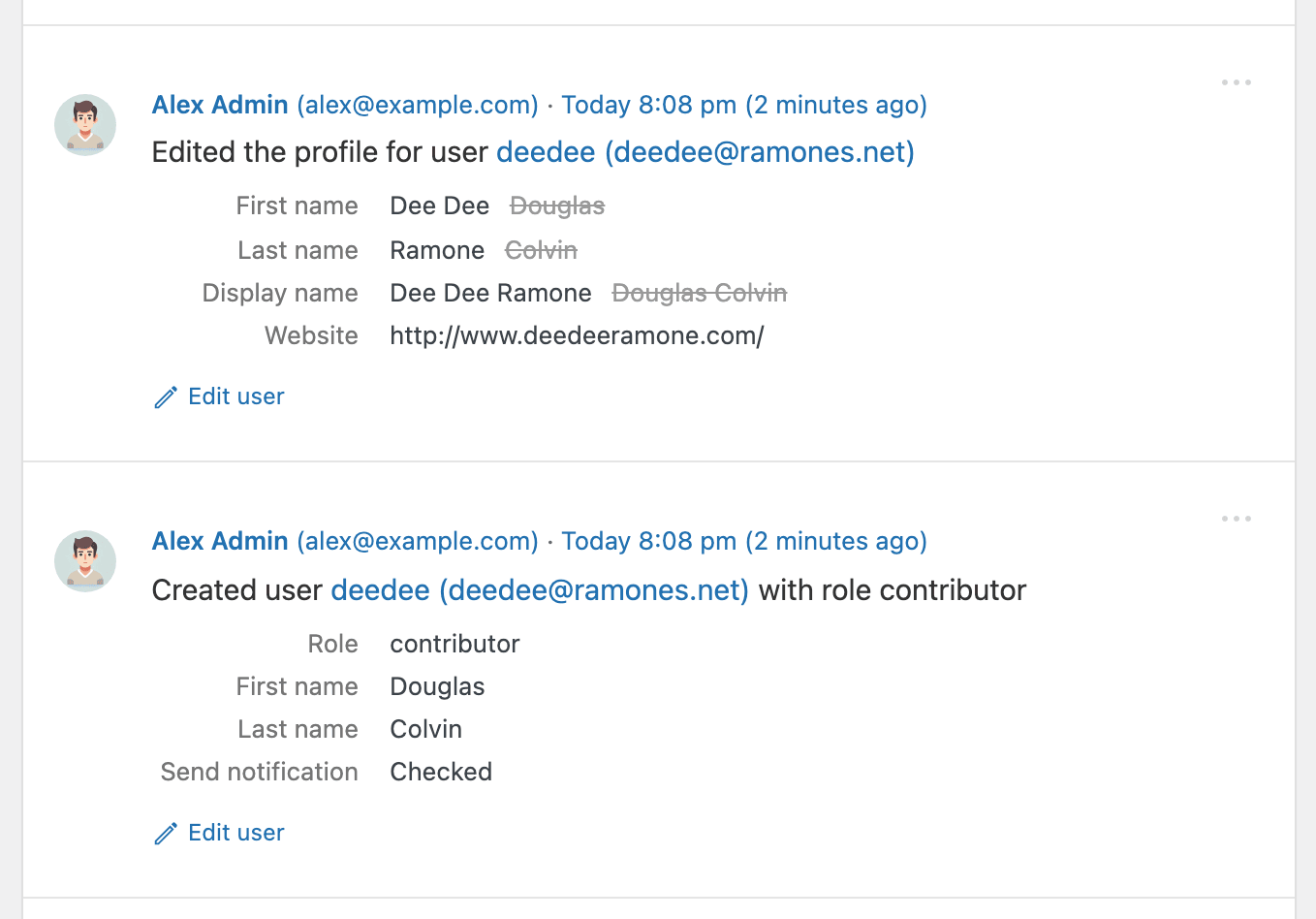
Every event is written to be read: plain language like Updated page “About us”, relative timestamps such as “5 minutes ago”, and before/after comparisons instead of raw data dumps.
🔍 How Simple History Helps in Real Situations
Track what’s happening on your site
“Has anyone done anything today? Ah, Sarah uploaded the new press release and created an article for it. Great — now I don’t have to do that.”
Identify issues and debug faster
Description from the author's listing. Read the full listing on WordPress.org
Screenshots
Simple History – Track, Log, and Audit WordPress Changes in action
FAQ
Simple History – Track, Log, and Audit WordPress Changes: questions and answers
What is Simple History – Track, Log, and Audit WordPress Changes?
Simple History – Track, Log, and Audit WordPress Changes is a WordPress plugin by Pär Thernström. Track changes and user activities on your WordPress site. See who created a page, uploaded an attachment, and more, for a complete audit trail.
Is Simple History – Track, Log, and Audit WordPress Changes free?
Simple History – Track, Log, and Audit WordPress Changes is listed in the WordPress.org plugin directory, so the version there is free to download and use. Some authors also sell paid add-ons or a premium edition with more features and support.
How many websites use Simple History – Track, Log, and Audit WordPress Changes?
WordPress.org reports 300K+ active installations of Simple History – Track, Log, and Audit WordPress Changes. That figure counts sites running the WordPress.org version and is rounded down by WordPress.org.
Is Simple History – Track, Log, and Audit WordPress Changes still maintained?
Simple History – Track, Log, and Audit WordPress Changes was last updated on October 17, 2026. The current version is 5.36.0. Check the changelog on WordPress.org and test updates on a staging site before applying them to a live site.
What does Simple History – Track, Log, and Audit WordPress Changes require?
Simple History – Track, Log, and Audit WordPress Changes requires WordPress 6.3 or newer and PHP 7.4 or newer. It has been tested up to WordPress 7.1.4.
Can Codefreex set up or customize Simple History – Track, Log, and Audit WordPress Changes?
Yes. Codefreex installs, configures and customizes WordPress plugins including Simple History – Track, Log, and Audit WordPress Changes, fixes conflicts and performance problems, and builds custom features when a plugin does not do exactly what you need. Send your site URL for a free review.
Free expert review
Need Simple History – Track, Log, and Audit WordPress Changes set up, customized or fixed?
Tell us about your site and what you need this plugin to do. A senior WordPress developer replies within one business day with a plan and a quote.